
Yes, you can accept crypto on Wix, but not through a native checkout toggle. Wix has no built-in cryptocurrency option, so you connect a third-party gateway using a hosted payment link, an embedded checkout, or a Wix Velo integration for full automation. Most small stores should start with a hosted payment link. CryptoPayr supports all three paths, including hosted links, embeddable widgets, and an API for Velo, which makes it a workable starting point regardless of your technical comfort.
TL;DR:
- Most small stores should start with a simple hosted payment link, which is quick to set up and works without coding.
- Using an embed checkout keeps customers on your site but may have rendering issues and requires thorough testing.
- Velo automation enables real-time order updates after crypto payments but demands a Business plan and developer work.
- CryptoPayr supports all three integration paths, with no-KYC onboarding, over 110 cryptocurrencies, and a sandbox mode for testing.
- Common mistakes include using nonexistent Wix crypto toggles, skipping webhook testing, and hiding the option from customers.
Table of Contents
Which crypto payment method fits your Wix store?
The right integration depends on your coding comfort, your Wix plan, and how much automation you actually need. There are three real paths, and picking the wrong one wastes hours.
- No-code button or payment link. You generate a hosted checkout URL from your gateway, then link a Wix Button element to it. No coding, works on any Wix plan, ready in under 15 minutes. Best for stores selling a handful of products or services.
- Embed or plugin. You drop an HTML iframe or install a vendor plugin so the checkout appears inline on your page instead of redirecting off-site. Slightly more setup, better customer experience, still no real coding.
- Wix Velo integration. You build a backend flow that creates a payment per cart and updates orders automatically via webhook. This requires a Business or Ecommerce Wix plan since Velo isn’t available on lower tiers, plus some comfort with JavaScript.
If you’re running a simple storefront with a few SKUs, the button or embed gets you live today. If you run a dynamic cart with variable totals and want orders to update themselves, Velo is the only path that actually automates that.
This is the fastest route to a working checkout, and you don’t touch a single line of code.
- Create your gateway account. Sign up with your chosen crypto payment gateway and generate a hosted payment link or button code. Most gateways, including CryptoPayr, offer a sandbox or test mode. Use it before going live.
- Open the Wix Editor. Add a Button element wherever you want the “Pay with Crypto” option to appear, on a product page, a checkout page, or a dedicated donations page.
- Link the button. Set the button’s link to your hosted payment URL. Choose “open in new tab” so customers don’t lose their place on your site. Alternatively, use Wix’s HTML embed element to paste the gateway’s provided embed code directly.
- Test before launch. Run a transaction in sandbox mode first, then a small real payment once you flip to live mode. Confirm the payment shows up correctly in your gateway dashboard.
- Establish your fulfillment routine. Since a simple button link doesn’t automatically update Wix orders, you’ll process fulfillment manually from the gateway dashboard, at least until you’re ready to build the Velo automation described below.
Common mistakes are almost always small ones. Linking to a test-mode URL after going live is the most frequent error, followed by ignoring time zone mismatches when reconciling payment timestamps against order records. If you expect automatic order confirmation without setting up a webhook, you’ll be manually checking your dashboard indefinitely.
Pro Tip: Bookmark your gateway’s transaction dashboard and check it daily for the first two weeks. You’ll catch pricing or link errors long before a customer complains.
Should you embed a hosted checkout instead of using a link?
An embedded checkout keeps customers on your Wix page instead of bouncing them to an external URL, and that alone can be the difference between a completed sale and an abandoned cart.
- Use an iframe or custom element. Point it at your gateway’s hosted checkout URL. Wix sandboxes embedded content for security, so test thoroughly. Some gateway checkouts don’t render cleanly inside an iframe if they use aggressive frame-busting scripts.
- Check for a vendor plugin first. CoinGate, for example, offers a Wix plugin that installs directly, connects your account, and starts accepting crypto with far less manual configuration than a raw iframe.
- Never store private keys client-side. A hosted checkout keeps your gateway’s private keys and signing logic on the vendor’s server, which is exactly why hosted checkout, rather than a self-built wallet integration, is the sane default for most merchants.
- Label the flow clearly. Tell customers up front they’re paying with crypto and show a progress indicator during confirmation. Blockchain confirmations aren’t instant, and a silent loading screen is the fastest way to trigger cart abandonment.
How does Wix Velo automate crypto payments per order?
Velo is the only way to get Wix orders to update themselves the moment a crypto payment confirms, but it demands a Business or Ecommerce plan and genuine backend work.
The architecture is straightforward once you see it laid out: your Velo backend calls the gateway’s API to create a payment tied to the cart total, the gateway returns a payment_url that your front end redirects to, the customer pays, and the gateway posts a webhook back to your site once the transaction confirms on-chain. Your backend verifies that webhook and updates the Wix order collection automatically.
- Store API keys in Velo’s Secrets Manager. Never hardcode credentials in your front-end code, where anyone viewing page source could find them.
- Write a backend http-function as your webhook endpoint. This is where the gateway sends confirmation events, and Wix’s Velo documentation covers the backend http-function structure you’ll need.
- Verify webhook signatures. Every incoming webhook should be checked against the gateway’s signing secret before you trust it, and you should build in idempotency checks so a duplicate webhook doesn’t double-fulfill an order.
- Test the full sequence before launch. Run a sandbox payment, trigger a simulated webhook, and confirm the Wix order status actually changes. Skipping this step is how merchants discover broken automation days after launch, usually from an angry customer.
Pro Tip: Build a manual override into your order management flow. Even solid webhook logic occasionally misses an event, and you don’t want a paid order stuck in “pending” with no way to fix it by hand.
What are the real business trade-offs of accepting crypto?
Crypto payments are final. Once a transaction confirms on-chain, there’s no chargeback mechanism, which cuts your fraud exposure but also means refunds have to be handled manually, by sending crypto back to the customer’s wallet rather than reversing a card charge.
- Chargeback elimination. Removing chargeback risk is one of the more concrete reasons merchants in high-risk or international categories adopt crypto in the first place.
- Fee and settlement choices. Most gateways let you choose between holding received crypto or auto-converting to a stablecoin or fiat at the moment of payment, which shields you from price swings between checkout and settlement.
- Bookkeeping discipline. Reconcile crypto transactions against your Wix order records on a fixed schedule, since gateway dashboards and Wix’s own order history don’t sync automatically outside a Velo integration.
- Redirect versus inline UX. A redirect to a hosted page is simpler to build but adds friction. Vendor checkout flows that keep the customer on-page tend to convert better, particularly on mobile.
Merchants who bundle a stablecoin auto-conversion option into their gateway settings sidestep most of the volatility complaints that scare off first-time crypto adopters.
Why does CryptoPayr fit these three Wix integration paths?
CryptoPayr’s product structure maps directly onto the three integration routes covered above, which is the reason it’s worth testing before you commit engineering time to a custom build.
- Hosted payment links work for the no-code button approach with zero setup complexity.
- Embeddable widgets cover the inline checkout use case without a custom iframe build.
- An API built for Velo supports the backend webhook flow developers need for automated order updates.
- No-KYC onboarding and support for over 110 cryptocurrencies, including Bitcoin and Ethereum, means you’re not stuck waiting on identity verification before your first sale.
The sandbox mode makes the safest first step obvious: create a test hosted link, wire it into a single product button on your Wix site, and confirm the full flow before touching Velo. CryptoPayr’s own walkthrough on adding a pay-with-crypto button covers the embed details in more depth.
What do most stores get wrong when they launch crypto payments?
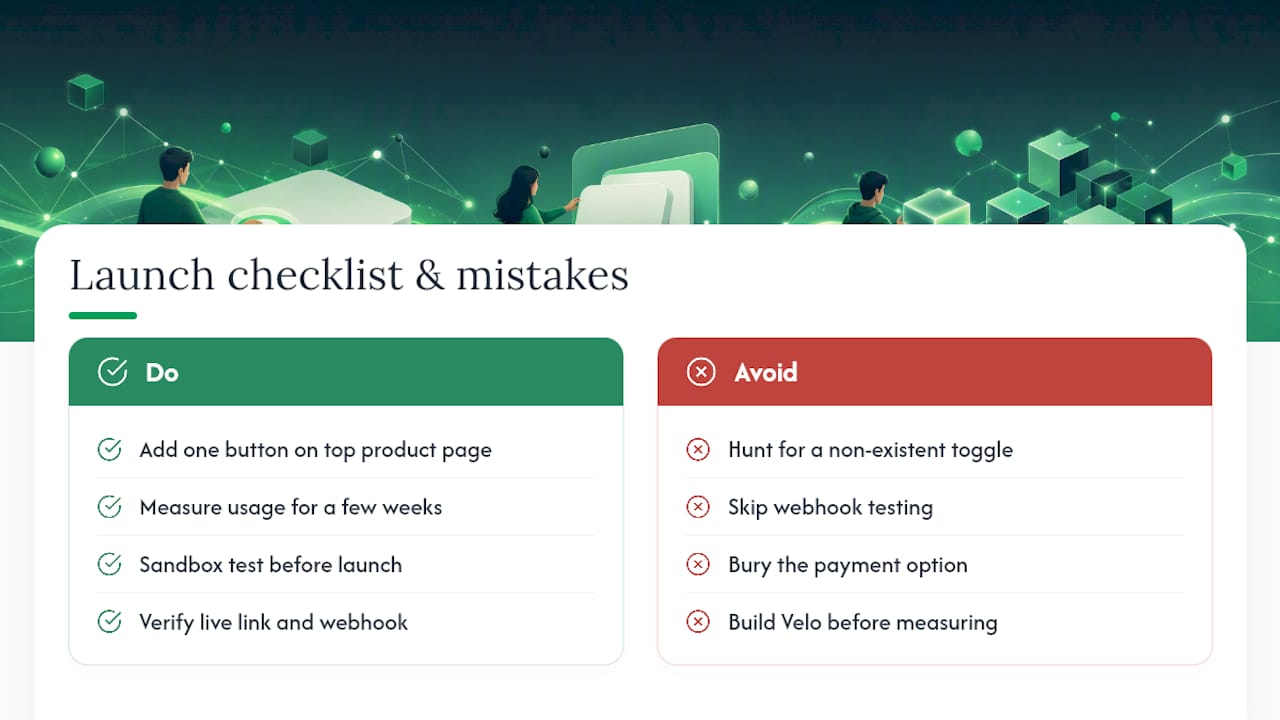
The most predictable mistake is spending an afternoon hunting for a crypto toggle in Wix’s payment settings that simply doesn’t exist. The second is skipping webhook testing and discovering, only after a customer pays, that orders never update. The third is burying the crypto option somewhere customers won’t find it, which defeats the entire point of offering it.
Start with one button on your highest-traffic product page. Measure whether anyone uses it for a few weeks before building out Velo automation. A quick pre-launch checklist: sandbox tested, live link verified, webhook confirmed (if using Velo), and the payment option clearly labeled on the page.
— Dustin
Start accepting crypto on Wix today
CryptoPayr gives you the fastest path to a live crypto checkout without the fee structures or onboarding delays that come with traditional processors.
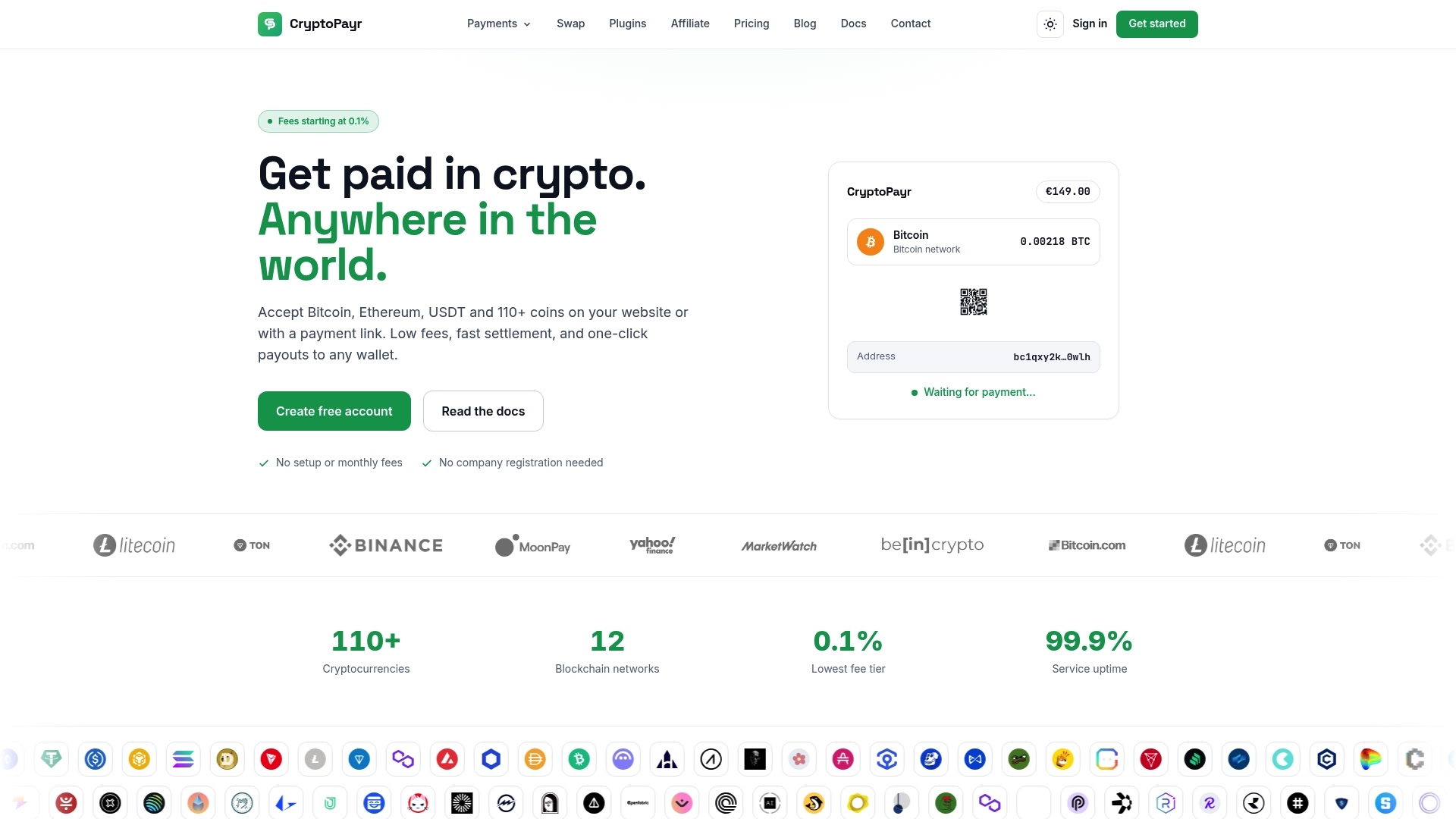
Every integration method covered in this guide, the button, the embed, and the Velo webhook flow, runs through the same CryptoPayr account, so you’re not rebuilding your setup when you’re ready to move from a simple link to full automation. Start in sandbox mode, create your first hosted payment link, and add it to a Wix product page this afternoon. Head to the CryptoPayr crypto payment gateway to create your account and generate your first link.
Where to go for official Wix and developer documentation
For the exact dashboard steps, Wix’s own support articles walk through connecting a crypto payment provider and managing provider toggles from the Accept Payments area. Developers building the Velo route should bookmark the Wix developer documentation for Secrets Manager and http-function reference.
Sources
Recommended

