Go Live With Polygon Payments in Under an Hour for Merchants

The fastest way to accept Polygon payments is a hosted gateway or an e-commerce plugin, both of which can go live in under an hour. Reach for an API when you need custom checkout flows or dynamic pricing, and use a Polygon facilitator like x402 only if you’re gating access to an API or app. Stick with USDC for pricing certainty, since Polygon settles transactions in seconds for fees under a cent.
TL;DR:
- Using a hosted gateway or plugin is the fastest way to accept Polygon payments, with setup possible in under an hour, especially for non-developers.
- USDC is the recommended settlement stablecoin to avoid market price fluctuations, with Polygon transaction fees typically under a cent.
- Wholesale API integrations are suited for complex marketplaces, but most merchants find plugins or hosted gateways sufficient for their needs.
- Before going live, test all flows on the Amoy testnet, and ensure private keys are secured, compliance responsibilities are clear, and refund policies are set.
- CryptoPayr offers low fees starting at 0.1 percent, supports over 110 cryptocurrencies, and provides quick setup with no KYC for small merchants.
Table of Contents
Which Way to Accept Polygon Payments Fits Your Business?
Match the acceptance model to your resources, not the other way around. Most merchants overthink this decision when the answer usually falls out of what platform they already run and how much engineering time they have on hand.
- No developer on staff? A hosted gateway handles wallet generation, price conversion, and settlement for you, with fast onboarding and optional fiat payout.
- Running Shopify, WooCommerce, or PrestaShop? Install a plugin. It’s the shortest path from zero to accepting Polygon payments on a live storefront.
- Building a custom checkout or marketplace? An API integration gives you dynamic pricing, webhooks, and control over the payment experience.
- Shipping a developer product, metered API, or agentic app? A Polygon facilitator like x402 protects endpoints with payment middleware rather than a traditional checkout page.
Pro Tip: Don’t default to an API just because it feels more “technical” and future-proof. A plugin or hosted gateway does the same job with far less maintenance if you’re not already shipping custom checkout code.
Integration Options: Gateways, Plugins, APIs, and Facilitators
Each acceptance model asks something different of your team, and the differences matter more than the marketing copy suggests.
- Hosted gateway. The provider generates the payment address, monitors the blockchain for confirmation, and lets you choose settlement: auto-convert to fiat or keep proceeds in stablecoins. You embed a checkout link or widget; the provider handles the rest.
- E-commerce plugin. You install it from your platform’s app store, map product prices to a settlement currency, and test transactions in a sandbox before flipping the switch on your live store. This is the least amount of custom code you’ll write to accept crypto anywhere.
- API integration. You call an endpoint to generate a dynamic price quote and a single-use address or QR code, then validate the confirmation through webhooks. This suits marketplaces or subscription platforms that need pricing logic tied to inventory or usage.
- Polygon facilitator/x402 middleware. This protects an API endpoint behind a payment requirement rather than a checkout page. Polygon’s own x402 quickstart documentation walks through testnet and mainnet CAIP network IDs and the facilitator URL your server needs to configure.
Most merchants stop at option one or two. Option four is a developer tool, not a merchant checkout, and it’s worth knowing the difference before you commit engineering hours to the wrong integration.
How Do You Set Up Polygon Payments Step by Step?
- Sign up with a gateway, or prepare a wallet if you’re integrating directly, and lock down your private keys before you do anything else.
- Choose which tokens to accept. USDC is the practical default for merchants who want settlement value that doesn’t swing with market prices; configure your pricing logic around it.
- Run everything on testnet first. Use the Amoy test network, send test transactions, and confirm your webhooks and logs fire correctly. This step catches integration bugs before they touch real money.
- Switch to mainnet. Update your facilitator URL to
https://x402.polygon.technology and your network ID to eip155:137, then watch your first few live transactions closely.
- Set operational rules for reconciliation, refunds, and settlement timing before your first customer pays. Crypto refunds don’t work like card chargebacks, and you want a policy written down before you need one.
Polygon’s payment services documentation lists the exact configuration values, including payTo and network parameters, if you’re integrating at the API or facilitator level.
What Do Merchants Actually Pay in Fees?
Polygon network fees run sub-cent per transaction, often under $0.002, against roughly 2.9% or more in card interchange plus processing fees most merchants already absorb. That gap alone changes the math for high-volume or low-margin businesses.
Gateway fees stack on top of network fees. Expect a percentage, a flat fee, or both, and budget for both layers rather than just the headline rate.
- Auto-convert to fiat removes your exposure to price swings between the moment a customer pays and the moment you spend the proceeds, though conversion typically carries a spread.
- Holding USDC sidesteps that spread entirely and gives you stable settlement value without converting anything.
- Off-ramp choice (payment service provider, exchange, or direct bank settlement) depends on what your gateway supports, and it’s worth confirming before you pick a provider, not after.
Security and Compliance Checklist Before You Go Live
A checkout that works in testing can still expose you to real risk in production if you skip the boring parts.
- Validate every flow on testnet (Amoy) before mainnet ever sees a transaction.
- Never hardcode private keys in your codebase; use a secrets manager or hardware security module instead.
- Know exactly which party handles KYC and AML when you’re using a gateway. Stripe’s guide to accepting crypto notes that compliance responsibilities shift depending on whether a provider, gateway, or your own wallet sits in the middle of the transaction.
- Write your refund and dispute process now. There’s no chargeback mechanism on-chain, so your policy is the only recourse a customer has.
Pro Tip: If you’re a cross-border business, get a compliance review of your payment flows early. Guidance on blockchain compliance for cross-border corporates is worth reading before you scale past your home market, not after a regulator asks questions.
Why Polygon and USDC Work for Global Merchants
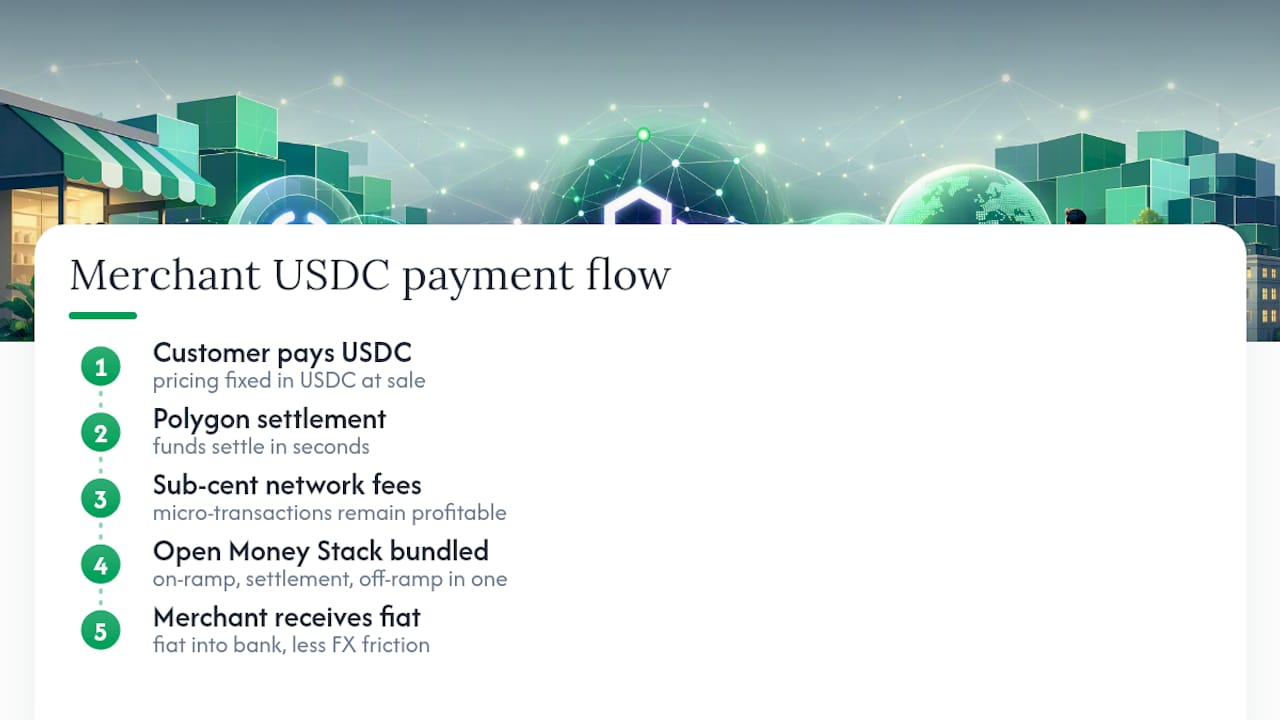
Settlement in seconds changes cash flow in a way most merchants underestimate until they experience it. Money that used to sit in a payment processor’s holding period for days is available almost immediately, and network fees under a cent mean that even micro-transactions stay profitable.
Stablecoins solve the accounting headache that scared merchants away from crypto in the first place. Pricing in USDC means your invoice math doesn’t change between the sale and the settlement, and marketplaces with sellers in different countries avoid the FX friction that comes with converting between currencies at every step. Polygon’s Open Money Stack bundles on-ramp, settlement, and off-ramp into one integration, so you’re not stitching together three separate vendors to get fiat into your bank account while your customer pays in stablecoins.
When Should a No-KYC Gateway Make Sense for You?
A no-KYC gateway wins on speed. Digital goods sellers, freelancers, and small merchants often can’t justify weeks of onboarding paperwork just to accept a payment, and that friction is exactly what kills conversion at checkout. Enterprise merchants handling regulated goods or large volumes usually need full KYC and fiat-rail partners, since their compliance exposure is different. CryptoPayr supports Polygon payments with fees starting at 0.1% and no onboarding delay, which is the trade-off worth knowing before you pick a provider.
— Dustin
Get Your Polygon Checkout Live This Week
CryptoPayr is built for merchants who want to accept Polygon payments without a compliance queue standing between them and their first transaction. You get support for 110+ cryptocurrencies including MATIC and USDC, hosted checkout, plugins for major e-commerce platforms, a full API, and auto-convert settlement options, all with no KYC required to onboard.
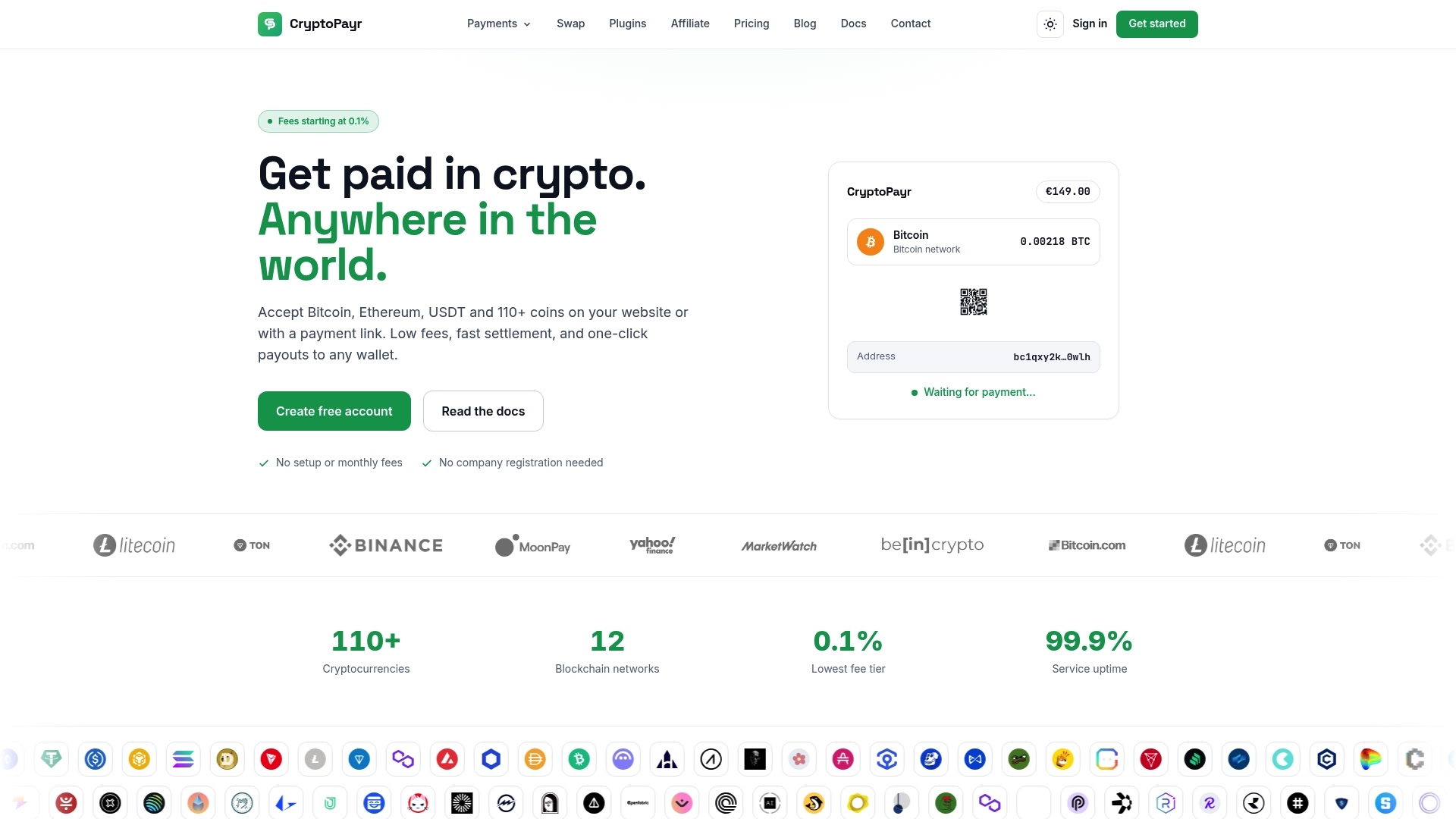
Fees start at 0.1%, well under what most gateways charge once you add up their percentage-plus-flat-fee structures, and settlement lands in seconds rather than days. If you’re running a Shopify or PrestaShop store, install the plugin directly and start testing transactions today. If you need a custom checkout or a white-label solution for your own platform, the CryptoPayr gateway page walks through API access and integration details, or check the dedicated Polygon payments page to see settlement options specific to POL and USDC. Either way, you can have a working sandbox transaction running before the end of the day.
Sources
Recommended


