How to Invoice in Crypto: A Practical Guide for Businesses

A crypto invoice is a standard billing document that requests payment in cryptocurrency. Create one by choosing the currency and chain, generating a deposit address or payment link, setting the amount and expiry, and sending the invoice with clear payment instructions. That covers the bare minimum. Here is what the full workflow looks like:
Minimal steps to issue a working crypto invoice:
- Choose your cryptocurrency (USDC, Bitcoin, Ethereum) and the chain it runs on
- Generate a deposit address or hosted payment link for that invoice
- Set the invoice amount (fiat-locked or crypto-denominated), expiry time, and refund policy
- Send the invoice by email, hosted link, or PDF with a QR code
- Confirm payment by verifying the transaction hash on-chain and marking the invoice paid
For a single client payment, a fiat-locked invoice with a manual deposit address works fine. For recurring billing or e-commerce volume, a gateway handles address generation, reconciliation, and conversion automatically.
Key Takeaways
Crypto invoicing is practical for U.S. merchants and freelancers when the invoice fields, denomination method, and confirmation rules are set correctly from the start.
| Point |
Details |
| Lock the denomination |
Use fiat-denominated invoices with a rate locked at creation to eliminate volatility risk on each payment. |
| Use unique addresses |
Generate a fresh deposit address per invoice to keep payments distinguishable and reconciliation clean. |
| Match confirmations to value |
Wait 3–6 confirmations for Bitcoin and the appropriate number of confirmations for Ethereum before releasing goods or services. |
| Record for the IRS |
Keep the transaction hash, timestamp, chain, token, and USD fair market value at receipt for every crypto payment received. |
| Cryptopayr for automation |
Cryptopayr’s hosted invoices, webhooks, and auto-conversion handle address generation and reconciliation automatically, with a per-transaction fee. |
Table of Contents
What does a crypto invoice actually contain?
Invoices are accounting documents that spell out what a customer owes, the payment terms, and the payment instructions. A crypto invoice carries all the same fields as a traditional invoice, plus a few blockchain-specific ones.
Mandatory fields:
- Payer and payee — legal names, business names, and contact details
- Invoice ID — a unique reference number for matching and recordkeeping
- Line items — description, quantity, and unit price for each service or product
- Amount — stated in fiat (USD), in crypto, or both
- Payment address or payment link — the wallet address or hosted URL where payment is sent
- Chain and token — specify the exact network (e.g., Ethereum mainnet, Polygon, Bitcoin) to prevent misdirected funds
- Memo or invoice ID field — required on some chains (XRP, Stellar, exchanges) to route the payment correctly; EIP-2746 documents metadata standards relevant to payment memo handling on Ethereum-compatible chains
- Expiry time — when the quoted rate or address expires
- Refund policy — what happens if the payer overpays, underpays, or sends to the wrong chain
Two invoice variants
| Variant |
How the amount is set |
Conversion rule |
Best for |
| Fiat-denominated |
Amount stated in USD; crypto equivalent calculated at payment time or invoice creation |
Lock rate at creation or at payment |
Freelancers billing in USD who want price certainty |
| Crypto-denominated |
Fixed token amount (e.g., 0.025 ETH) |
No conversion needed |
B2B crypto-native payments, DAO contractors |
A crypto invoice can reach the payer as a hosted invoice page (a URL the payer opens and pays directly), a PDF with a wallet address and QR code, an email with an embedded payment link, or an on-platform invoice inside a merchant dashboard. Hosted pages reduce errors because the payment details are pre-filled and copyable.
How do you create and send a crypto invoice step by step?
Step 1: Decide on denomination and currency
Start by choosing whether to lock the invoice in USD or quote a fixed crypto amount. For most U.S. freelancers and merchants, fiat-denominated is safer because it removes price volatility between invoice creation and payment. Then pick the currency. USDC on Ethereum or Polygon is the most common stablecoin choice for invoicing because the value is pegged 1:1 to USD. Bitcoin works well for larger B2B payments where the payer specifically holds BTC. Ethereum suits clients already active on EVM chains.
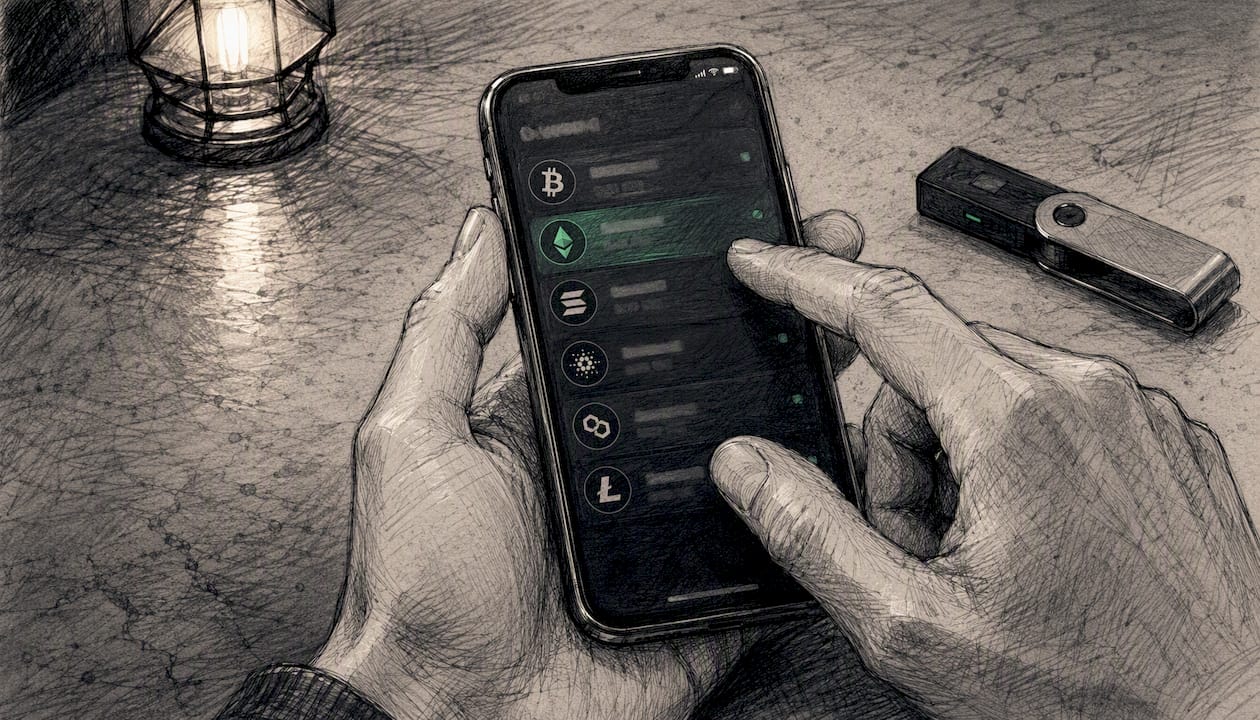
Chain choice matters for confirmation time and fees. Bitcoin confirmations take about one block every several minutes; Ethereum blocks are confirmed faster but gas fees vary. Polygon and other L2s settle faster and cheaper, which suits smaller invoices.
Step 2: Generate a deposit address or payment link
Three options exist here, each with different tradeoffs:
- Merchant-owned wallet address — you control the keys, but you must generate a fresh address per invoice to keep payments distinguishable. Reusing one address makes reconciliation a manual headache.
- Custodial hosted address — a gateway generates a unique address per invoice and monitors it automatically. You trade some custody for automation.
- Hosted payment link — a URL the payer clicks to open a pre-filled checkout page. Lowest error rate for payers unfamiliar with crypto.
Step 3: Set invoice terms
Fill in line items, the fiat or crypto amount, the conversion rule (lock at creation or at payment), the expiry window, and the required number of confirmations before you release goods or services. A short expiry period is standard for fiat-locked invoices to limit rate exposure.
Step 4: Send the invoice
Email the hosted link or attach a PDF with the wallet address and a QR code. Always include:
- The exact wallet address in copyable text (not just an image)
- The chain and token (e.g., “USDC on Ethereum mainnet — do not send ERC-20 tokens on other networks”)
- The memo or invoice ID if the chain requires it
- The expiry time and what to do if it lapses
- A refund contact or policy
Pro Tip: Include a one-line warning in the payment instructions: “Sending to the wrong chain or network will result in permanent loss of funds.” Payers who are new to crypto need this spelled out.
Step 5: Confirm payment
Track the transaction on a block explorer (Etherscan for Ethereum, Blockchain.com for Bitcoin). Match the incoming transaction hash to your invoice ID, verify the amount received, and mark the invoice paid. Issue a receipt with the transaction hash as proof.

Confirmation expectations by chain:
Before-you-send checklist:
- Address is correct and matches the intended chain
- Memo or invoice ID included if required
- Expiry time stated clearly
- Refund policy written out
- Amount confirmed (fiat or crypto, not both ambiguously)
Copyable invoice templates you can use today
These two templates cover the most common scenarios. Copy them into a PDF editor, Google Docs, or your invoicing tool and edit the bracketed fields.
Template A: Fiat-denominated (USD-locked)
INVOICE
Invoice ID:    [INV-2026-001]
Date issued:   [Month DD, YYYY]
Due / Expiry:  [30 minutes from payment link open / or specific date]

From: [Your Name / Business Name]
      [Address, City, State, ZIP]
      [Email]

To:   [Client Name / Business Name]
      [Address]

LINE ITEMS
-------------------------------------------------
[Service description]          $[Amount]
[Service description]          $[Amount]
                               ---------
Subtotal                       $[XXX.XX]
Tax (if applicable)            $[XX.XX]
TOTAL DUE                      $[XXX.XX]
-------------------------------------------------

PAYMENT INSTRUCTIONS
Pay in: USDC (ERC-20 on Ethereum mainnet)
Amount in USDC: [calculated at invoice creation — see rate below]
Rate locked at: 1 USDC = $1.00 USD (rate locked at invoice creation)

Memo / Invoice ID: INV-2026-001

⚠ Send USDC on Ethereum mainnet only.
  Sending on another network will result in permanent loss.

Payment link (expires in 30 min): [https://...]
Questions or refunds: [[email protected]]
Template B: Crypto-denominated (fixed token amount)
INVOICE
Invoice ID:    [INV-2026-002]
Date issued:   [Month DD, YYYY]

From: [Your Name / Business Name]
To:   [Client Name / Business Name]

LINE ITEMS
-------------------------------------------------
[Service description]          0.025 ETH
                               ---------
TOTAL DUE                      0.025 ETH
-------------------------------------------------

PAYMENT INSTRUCTIONS
Send exactly: 0.025 ETH
Network: Ethereum mainnet

Memo: INV-2026-002

Do not send ERC-20 tokens — send ETH only.
Payment link: [https://...]
Refund policy: Overpayments refunded to originating address within 5 business days.
Pro Tip: For crypto invoicing for freelancers, Template A is almost always the safer choice. Locking the rate at invoice creation means you know exactly what you will receive in USD equivalent before the client pays.
Fields to customize: your business name and contact, the line items, the wallet address, the chain and token, the expiry window, and the refund policy. If you use a gateway, the payment address and expiry are generated automatically.
How do you choose between manual invoices, generators, and gateways?
The right tool depends on how often you invoice and what you need to happen after payment arrives.
Manual PDF or email invoice works for one-off payments where you already have a wallet and the client is comfortable with crypto. Zero cost, full control, but every step from address generation to reconciliation is manual. Suited to freelancers sending fewer than a handful of invoices per month.
Invoice generators (standalone web tools that produce a formatted invoice with a payment address) sit in the middle. They reduce formatting work and can generate QR codes, but most still require you to monitor the wallet yourself. Good for small agencies or contractors who invoice regularly but do not need on-site checkout.
Payment gateways handle address generation, payment monitoring, webhook notifications, optional auto-conversion to USD or stablecoins, and reconciliation. The tradeoff is a per-transaction fee, typically a percentage of each payment. For e-commerce, SaaS, or any merchant processing more than a handful of payments per month, the automation pays for itself quickly.
| Use case |
Recommended approach |
Settlement |
Reconciliation |
| Freelancer, 1–5 invoices/month |
Manual PDF or email |
Hold crypto or convert manually |
Manual block explorer check |
| Agency, recurring clients |
Invoice generator or light gateway |
Stablecoin or manual convert |
Semi-manual, export CSV |
| E-commerce / SaaS |
Payment gateway |
Auto-convert to USD or USDC |
Webhook / API matching |
| Marketplace / platform |
Gateway with API |
Split payouts, auto-convert |
Full API reconciliation |
Reusable payment links are a useful middle ground for freelancers who want a shareable URL without generating a formal invoice every time.
What security practices protect you when issuing crypto invoices?
Crypto payments are irreversible. A wrong address, a missing memo, or a phishing-swapped address means permanent loss. These practices keep your invoicing process safe.
Security checklist:
- Never reuse a wallet address across multiple invoices. Each invoice should have its own unique deposit address so payments are distinguishable and reconcilable.
- Always include the memo or invoice ID in the payment instructions when the chain requires it (XRP, Stellar, and exchange-hosted addresses all need this).
- Verify the incoming transaction hash on a block explorer before releasing goods or services. Confirmation count matters more than the payer’s screenshot.
- Display the wallet address as copyable text AND as a QR code. Payers who type addresses manually introduce errors; QR codes eliminate that risk.
- Send payment instructions over a channel the client has already verified (not a new email thread that could be spoofed).
Custodial vs. merchant-owned addresses
A custodial hosted address (generated by a gateway) is monitored automatically and tied to a specific invoice. The gateway detects payment and notifies you via webhook. You do not hold the private key during the payment window, which reduces your key-management burden but introduces counterparty reliance on the gateway.
A merchant-owned on-chain address gives you full custody but requires you to generate a fresh address per invoice, monitor it yourself, and match incoming transactions manually. For low-volume invoicing, this is manageable. At scale, it becomes error-prone.
Pro Tip: EIP-2746 defines metadata fields for Ethereum payment flows, including how memo and invoice reference data can be attached to a transaction. If you are building a custom invoicing integration on an EVM chain, reviewing this standard will save you from reinventing address-tagging logic.
Confirmations by chain and risk level:
How do you reconcile crypto payments and handle U.S. taxes?
Reconciliation flow
Matching an on-chain payment to an invoice comes down to three data points: the wallet address, the amount, and the transaction hash. Manual reconciliation means opening a block explorer, finding the incoming transaction to your address, and cross-referencing the amount against the open invoice. For a handful of invoices per month, this takes minutes.
At higher volume, webhook and API matching automates the process. A gateway sends a webhook event when a payment is detected, carrying fields like invoice_id, amount_received, tx_hash, confirmations, and status. Your system matches invoice_id to the open invoice, checks confirmations against your threshold, and marks the invoice paid. No manual block explorer needed.
Numbered reconciliation steps (manual):
- Open the block explorer for the relevant chain.
- Search for your deposit address.
- Find the incoming transaction and copy the transaction hash.
- Match the hash and amount to the open invoice in your records.
- Confirm the required number of confirmations has been reached.
- Mark the invoice paid and record the transaction hash, timestamp, chain, and conversion rate used.
- Issue a receipt to the client with the transaction hash as proof of payment.
U.S. tax and recordkeeping
The IRS treats cryptocurrency as property, not currency. When you receive crypto as payment for services, you recognize ordinary income equal to the fair market value of the crypto at the time of receipt. If you later sell or convert that crypto, you may also recognize a capital gain or loss based on the difference between what you received and what you sold it for.
Recordkeeping checklist for each invoice:
- Invoice document (PDF or hosted page export)
- Transaction hash
- Timestamp of the on-chain payment
- Chain and token received
- USD fair market value at the time of receipt (use a reputable price feed or exchange rate)
- Conversion rate used if you auto-converted to USD or USDC
Keep these records for at least three years, consistent with standard IRS guidance for income records. If you use a gateway that auto-converts, the conversion confirmation typically includes the rate and timestamp. Save that confirmation alongside the invoice.
Common mistakes that cost merchants money or time
Wrong address format. Sending Bitcoin to an Ethereum address (or vice versa) results in permanent loss. Always confirm the address format matches the chain before sending the invoice.
Forgetting the memo on memo-required chains. XRP, Stellar, and payments sent to exchange-hosted addresses require a destination tag or memo. Without it, the payment arrives at the exchange but cannot be credited to your account. Always check whether the receiving address requires a memo before finalizing the invoice.
Lock the rate at invoice creation or use a stablecoin.
Unclear or missing refund policy. Crypto payments are irreversible. If a client overpays or pays the wrong token, you need a written policy stating how refunds are handled and how long they take. Without it, disputes are difficult to resolve.
Releasing goods before sufficient confirmations. A transaction with zero or one confirmation can still be reversed on some chains. Wait for the confirmation threshold appropriate to the invoice value before delivering.
Pre-send checklist:
- Address format matches the chain
- Memo or destination tag included if required
- Conversion rate locked (or stablecoin used)
- Refund policy written into the invoice
- Confirmation threshold set and documented
- Expiry time stated clearly
A real-world gateway flow: how CryptoPayr handles the full cycle
Here is how the workflow runs when a merchant uses a payment gateway rather than a manual wallet.
Step-by-step gateway flow:
- Merchant creates an invoice in the gateway dashboard, entering line items, the USD amount, the accepted currencies, and the expiry window.
- The gateway generates a unique hosted invoice page with a pre-filled payment address, QR code, and countdown timer.
- Merchant emails the hosted link to the client. The client opens the page, selects their preferred coin (from 110+ supported options including Bitcoin and Ethereum), and sends payment from their wallet.
- The gateway detects the on-chain payment, monitors confirmations, and sends a webhook to the merchant’s system when the threshold is reached.
- The webhook payload includes
invoice_id, tx_hash, amount_received, currency, confirmations, and status: paid. The merchant’s system matches invoice_id to the open invoice and marks it settled automatically.
- If auto-conversion is enabled, the gateway converts the received crypto to USD or USDC and credits the merchant’s account. The merchant sees a clean USD figure without needing to manage exchange timing.
CryptoPayr’s gateway supports this full flow via hosted checkout, payment links, and a REST API with webhook callbacks. Plugins are available for common e-commerce platforms, including OpenCart and WHMCS, so merchants can add crypto invoicing to an existing store without building a custom integration.
The no-KYC onboarding option is particularly relevant for small merchants and freelancers who want to start accepting crypto without a lengthy verification process. For a solo contractor sending a few invoices per month, the ability to connect a wallet and start issuing hosted invoices within minutes removes the main friction point that keeps small operators on manual workflows.
Webhook reconciliation cuts the manual matching step entirely for merchants processing repeated crypto invoices. Instead of checking a block explorer per transaction, the system receives a structured event and updates the invoice status automatically.
When does crypto invoicing actually make strategic sense?
Most articles on this topic treat crypto invoicing as universally beneficial. The reality is more specific.
Crypto invoicing makes clear sense in a few concrete situations: you have cross-border clients where wire transfers are slow or expensive; your clients actively hold crypto and prefer paying with it; you operate in a high-chargeback environment where irreversible payments reduce fraud risk; or you are billing micropayments where card processing fees eat a disproportionate share of the transaction.
It makes less sense when your clients are unfamiliar with crypto and the payment instructions will create support overhead. A client who has never sent a crypto payment will generate questions about wallets, addresses, and confirmations that cost you time. If your average invoice is large and refunds are common, the irreversibility of crypto becomes a liability rather than an asset unless your refund policy is airtight.
The decision between manual, generator, and gateway is not really about features. It is about how much time you want to spend on payment operations. A freelancer sending three invoices a month can manage manually. An agency billing 20 recurring clients should use at least an invoice generator. Any merchant with on-site checkout or more than 50 transactions per month needs a gateway with webhook reconciliation.
One thing the conventional wisdom consistently underestimates: stablecoins like USDC have made crypto invoicing genuinely practical for mainstream U.S. businesses. The volatility argument against crypto invoicing mostly disappears when you invoice in USDC and auto-convert on receipt. What remains is a faster, lower-cost payment rail with no chargeback exposure.
Cryptopayr makes crypto invoicing practical for merchants and freelancers
Crypto invoicing has real advantages, but the manual workflow has real friction. Cryptopayr removes that friction without requiring a long onboarding process or a development team.
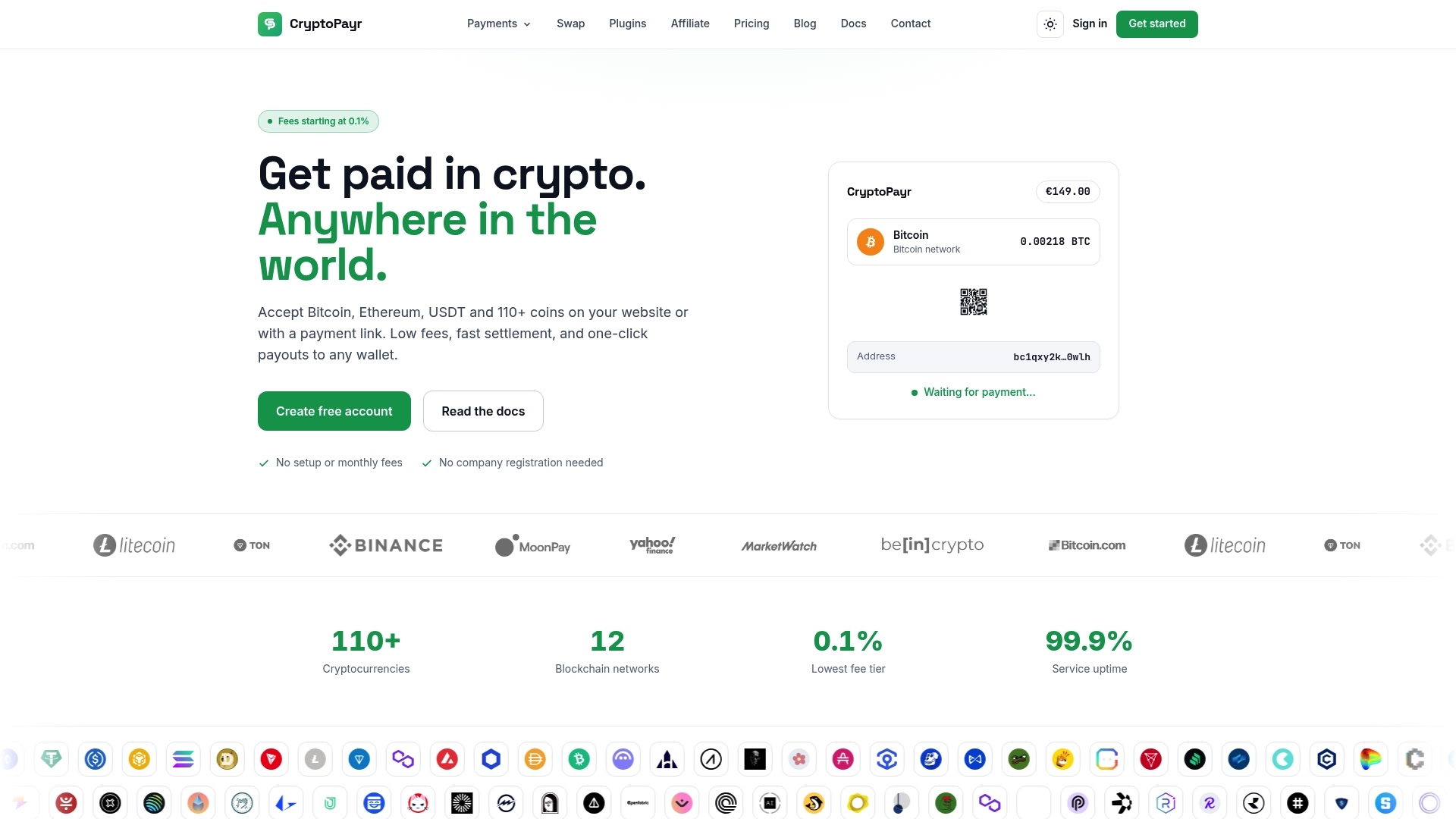
Three things Cryptopayr handles that manual invoicing cannot:
- Hosted invoice pages and payment links generated automatically per invoice, with built-in QR codes, countdown timers, and multi-coin selection for the payer
- Webhook reconciliation that fires a structured event when payment is confirmed, so your system marks invoices paid without anyone checking a block explorer
- Auto-conversion and multi-coin support across 110+ cryptocurrencies including Bitcoin and Ethereum, with optional conversion to USD or USDC on receipt
For freelancers and small merchants, that means a working crypto invoicing setup in minutes, not days.
Start accepting crypto payments through Cryptopayr’s gateway and issue your first hosted invoice today.
Useful resources for going deeper
This article is general information, not a substitute for advice from a qualified financial advisor. Consult a qualified financial professional about your own circumstances before acting on anything here.
Sources
Recommended