Launch Telegram Crypto Payments in Six Steps with Cryptopayr
Most merchants should build on the Telegram Bot Payments API paired with a crypto payment gateway, since that combination handles invoicing, checkout, and settlement without custody headaches. If you’re selling native in-app digital goods, Telegram requires Stars (XTR) instead. For everything else, a gateway like Cryptopayr, which supports 110+ coins with hosted checkout, plugs into that flow and gets you live faster than building settlement logic yourself.
TL;DR:
- Using a crypto payment gateway with Telegram Bot Payments allows fast implementation and supports over 110 coins, streamlining settlement without custody issues.
- For digital goods within Telegram, mandatory use of Telegram Stars (XTR) limits crypto options; physical products and external services can use direct crypto invoicing.
- Testing must include webhook signature verification, replay protection, and full order flow validation within the strict 10-second pre-checkout window to prevent failed or duplicated payments.
- Choice of integration path significantly impacts setup time and user experience, with hosted checkout links being fastest and in-app Wallet Pay offering better UX at higher development cost.
- Reconciliation and handling duplicate webhooks or dispute management are critical, with most operational burden falling on the merchant and their chosen provider.
Table of Contents
How Do You Accept Telegram Crypto Payments?
Four practical paths exist, and picking wrong costs you weeks of rework. The right one depends on what you’re selling and how much dev time you actually have.

Bot API invoices with a crypto gateway. You call sendInvoice inside a Telegram bot, the buyer pays through a connected provider, and the gateway settles funds to your account. This is the default choice for ecommerce with physical goods or services billed outside Telegram’s own currency rules. Development effort is moderate; you write the bot logic once and the gateway handles the crypto side.
Payment links. A hosted checkout URL dropped into a chat or channel post. Zero bot infrastructure required, works for one-off sales or invoicing freelance clients, and it’s the fastest to launch. The trade-off is a slightly less native feel since the buyer leaves the chat window briefly.
Wallet Pay / Mini App SDKs. Built for native in-app checkout using Toncoin and connected stablecoins, this suits gaming server operators, tipping features, and marketplaces that want the whole transaction to stay inside the Telegram interface. It demands more integration work upfront.
Telegram Stars (XTR). Mandatory for digital goods and services sold inside Telegram apps and Mini Apps under app-store policy. Not optional, and not a crypto rail. Trade-offs at a glance:
- Bot API + gateway: moderate setup, works for any goods type, merchant controls settlement
- Payment links: fastest setup, best for low-volume or one-off sales
- Wallet Pay / Mini App: higher dev effort, best UX for in-app native crypto
- Telegram Stars: required for in-app digital goods, not usable for physical products or external services
Subscription billing usually pairs best with the Bot API plus a gateway that supports recurring charges, since you need reliable retry logic and stored charge references.
What Are Telegram’s Rules for Crypto Payments?
Telegram is a messenger, not a payment processor. It relays invoice requests between your bot and whatever provider you connect. Bot Payments API documentation confirms Telegram doesn’t store payment data, doesn’t take a commission, and doesn’t touch custody at any point in the flow.
That neutrality shifts every operational burden, refunds, chargebacks, fraud checks, onto you and your provider.
The one hard platform rule: digital goods and services sold inside Telegram apps and Mini Apps must use Telegram Stars, currency XTR, per app-store compliance requirements from Apple and Google. This applies to things like unlocking bot features, buying in-app boosts, or paid channel content accessed through a Mini App.
Physical goods, external subscriptions, and services fulfilled outside Telegram’s own interface aren’t bound by the Stars requirement. A merchant selling sneakers through a bot can invoice in crypto directly through a gateway. A developer selling a Mini App power-up cannot. Mixing these up is the single most common compliance mistake teams make when they first wire up Telegram checkout.
How Do You Integrate Crypto Payments Step by Step?
Getting a production checkout live comes down to six sequential steps. Skip the testing step and you’ll find out about your bugs from an angry customer instead of a test suite.
- Choose your provider and get credentials. For Bot API flows, generate a
provider_token through BotFather by connecting your payment gateway. For Wallet Pay, register through the SDK and pull your API keys.
- Build the invoice call. Use
sendInvoice with your currency, price breakdown, and payload. For Wallet Pay, call CreateOrder through the SDK to generate a DirectPayLink, then surface it via an inline button or WebApp.openTelegramLink.
- Handle pre-checkout validation. Telegram fires a
pre_checkout_query that you must answer with answerPreCheckoutQuery within 10 seconds, or the transaction cancels automatically. Validate stock, pricing, and shipping here.
- Process the confirmation. On success, Telegram sends a
successful_payment update (Bot API) or an OrderPaid webhook (Wallet Pay). Store the telegram_payment_charge_id immediately. You’ll need it for any future refund request.
- Wire up recurring billing if needed. Set the
recurring flag on your invoice or use your gateway’s recurring API, and include a recurring_terms_url so buyers see the terms before authorizing repeat charges.
- Test everything before going live. Run the full flow in test mode with test provider tokens, confirm webhook delivery, and verify shipping-query handling if physical goods are involved.
Pro Tip: Log every webhook payload you receive during testing, even the ones you think you understand. Half of production payment bugs trace back to a field that changed shape between test mode and live mode.
Testing, Webhooks, and Common Pitfalls to Avoid
A checkout that works in a demo and one that survives real traffic are different things. Run these checks before flipping to production:
- Full invoice flow, including shipping queries if you sell physical goods
- Pre-checkout timing under load, since the 10-second window doesn’t stretch for slow database calls
- Webhook signature verification, using HMAC checks similar to the patterns in the Wallet Pay Go SDK
- Replay protection using timestamps, so a resent webhook can’t double-credit an order
- Correct link-opening method for Mini App flows, since
WebApp.openTelegramLink and a plain URL open button behave differently on mobile versus desktop clients
The most expensive mistake developers make isn’t a broken feature. It’s skipping idempotency checks on order updates, which means a retried webhook can mark the same order paid twice and double-ship a physical good. Build your order reconciliation logic to check state before writing, not after.
Statistic Callout: Telegram’s own documentation states pre_checkout_query must be answered within 10 seconds or the payment auto-cancels, a tighter window than most REST timeout defaults, which is exactly why slow database lookups inside that handler cause silent checkout failures.
Who Handles Security, Fees, and Disputes?
Telegram hands off custody entirely to whichever provider you connect, which means refunds, chargebacks, and fraud disputes are your problem and your provider’s, never Telegram’s. Choose a provider with a documented refund policy before you launch, not after your first dispute email arrives.
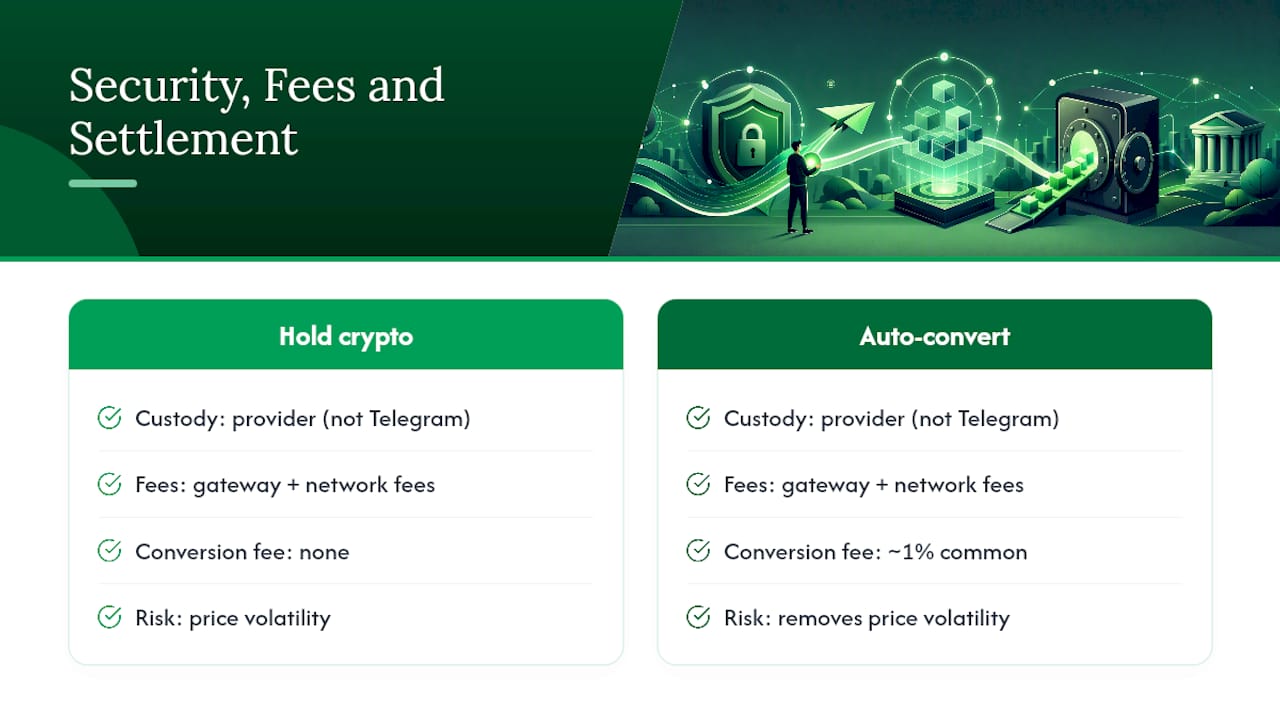
Fee structures vary by provider but generally stack in layers: a processing fee from your gateway, network fees for the underlying blockchain transaction, and sometimes an auto-conversion fee if you receive stablecoins or fiat instead of the original crypto sent. Wallet-based auto-conversion patterns commonly charge around 1% on top of network costs, so factor that into your pricing if you plan to convert automatically.
On settlement, you choose: hold the crypto received, or auto-convert to a stablecoin or fiat for easier accounting. Holding crypto exposes you to price volatility between the sale and when you spend or cash out; auto-converting removes that risk at the cost of the conversion fee. Either way, reconcile settlement records against your telegram_payment_charge_id log so your books match what actually cleared. Compliance requirements, including KYC, depend entirely on your chosen provider and your jurisdiction, so confirm those rules with your provider directly rather than assuming a global standard applies.
What Do Working Code Patterns Look Like?
You don’t need to write invoice handling from scratch. The python-telegram-bot payment example shows the canonical pattern: a send_invoice call, a pre_checkout_query handler that validates the order, and a successful_payment handler that writes the final order state to your database. Copy that skeleton and swap in your own product logic.
For native in-app crypto, the Wallet Pay pattern looks different: call CreateOrder through the SDK, generate a DirectPayLink, and listen for the OrderPaid webhook to confirm funds landed. The telegram-wallet-go SDK includes working examples of both order creation and webhook signature verification, which saves you from writing HMAC validation by hand. Emerging tools like TON Pay aim to abstract wallet and gas complexity further for Mini App checkouts, worth watching if you’re building for TON-native users specifically.
- Bot API pattern:
send_invoice → pre_checkout_query handler → successful_payment handler → database write
- Wallet Pay pattern:
CreateOrder → DirectPayLink → OrderPaid webhook → order state update
- Hosted gateway pattern: checkout link or API call → webhook confirmation → auto-settlement to your chosen currency
Pro Tip: Build your webhook handler to be idempotent from day one, not as a fix after your first duplicate-order bug ticket. A hosted gateway like Cryptopayr’s platform API already handles multi-coin settlement and recurring billing, which removes several of these edge cases from your own codebase entirely.
What Actually Matters When You Build This
The gap between how Telegram crypto payments get pitched and how they actually behave in production comes down to one thing: everyone talks about the invoice call, and almost nobody talks about the reconciliation problem. You will get duplicate webhooks. You will get a buyer who claims they paid and didn’t, or paid and the bot never confirmed it. That’s not a Telegram flaw, it’s just what happens when a messenger hands payment custody to a third party by design.
The conversion versus risk trade-off is real and underdiscussed. A hosted gateway checkout link converts slightly worse than an in-app Wallet Pay flow because the buyer briefly leaves the chat. But building native Mini App checkout yourself, with your own custody and settlement logic, is a multi-week project that most teams underestimate badly.
If you want to launch this quarter, use a hosted gateway and accept the small conversion hit. If in-app native crypto is core to your product, budget properly for the Wallet Pay integration. Either way, don’t build your own settlement and reconciliation layer unless you have a specific reason to.
— Dustin
Getting Cryptopayr Live on Your Telegram Checkout
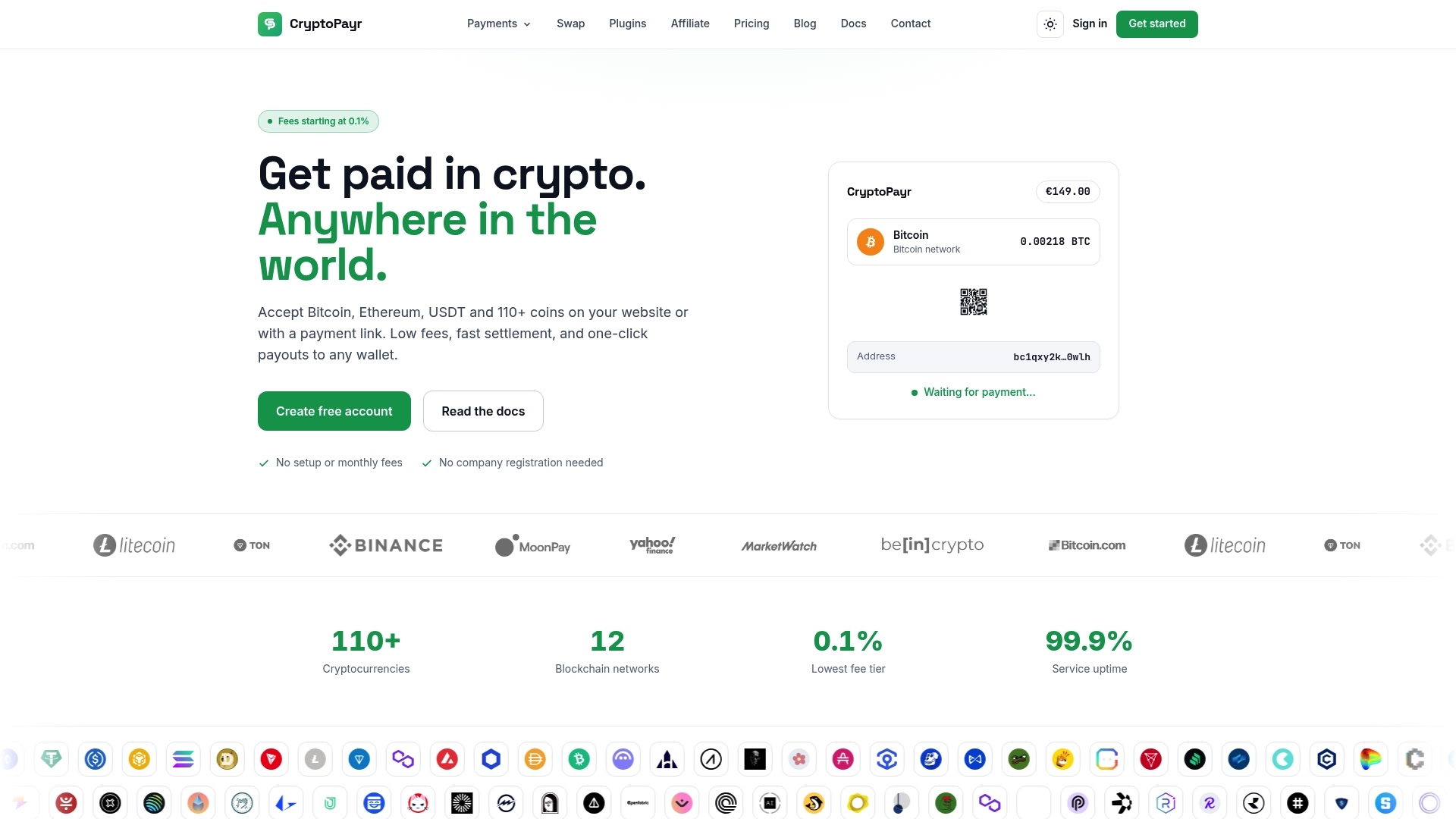
Cryptopayr is the direct path to a production Telegram checkout without building settlement logic from scratch. Every integration step covered above, invoicing, webhook confirmation, recurring billing, maps to a feature Cryptopayr already ships: hosted checkout pages and reusable payment links you can drop straight into a bot message, an API and webhook system for custom order flows, and native support for recurring subscription billing.
If you already run ecommerce on WooCommerce or OpenCart alongside your Telegram bot, the existing plugin integrations connect the same settlement backend across both channels so you’re not reconciling two separate systems.
Start with the crypto payment gateway page to see hosted checkout, links, and API options side by side, then request API keys once you know which flow fits your product.
This article is general information, not a substitute for advice from a qualified financial advisor. Consult a qualified financial professional about your own circumstances before acting on anything here.
Recommended


