Accept NEAR Payments Safely: Token, Key, Finality Rules for Merchants
Accept NEAR payments with a developer checklist: avoid token vs native mistakes and secure access keys. Or go live fast with Cryptopayr no KYC.
CryptoPayrSep 23, 202615.00 min read
Accept NEAR Payments Safely: Token, Key, Finality Rules for Merchants
To accept NEAR payments, generate a payment request with your receiving NEAR account and the exact amount due, hand the payer that recipient address (plus a QR code for wallets), then confirm the transaction hash and sender on-chain before you mark the order paid. That verification step is what separates a real payment from a screenshot. Merchants who want this running without building custody infrastructure from scratch can route it through a no-KYC gateway like Cryptopayr instead of writing the checkout logic themselves.
TL;DR:
Verifying NEAR payments requires confirming the transaction hash on-chain and checking the asset, recipient, and amount, especially for NEP-141 tokens.
Use the highest confirmation milestone, such as FINAL, for large payouts or marketplace reconciliation to ensure transaction finality and prevent reversals.
Payment reconciliation must involve matching unique order data, verifying the on-chain status, and using transaction hashes to avoid double-crediting or errors.
Different integration methods trade off speed and control; hosted checkout is fastest for quick launch, while direct RPC integration offers full custody control but takes more time.
Most merchants benefit from a no-KYC gateway like Cryptopayr, which simplifies setup, automates verification, and handles multiple cryptocurrencies without lengthy onboarding.
Cryptopayr
Simplify Your Crypto Checkout
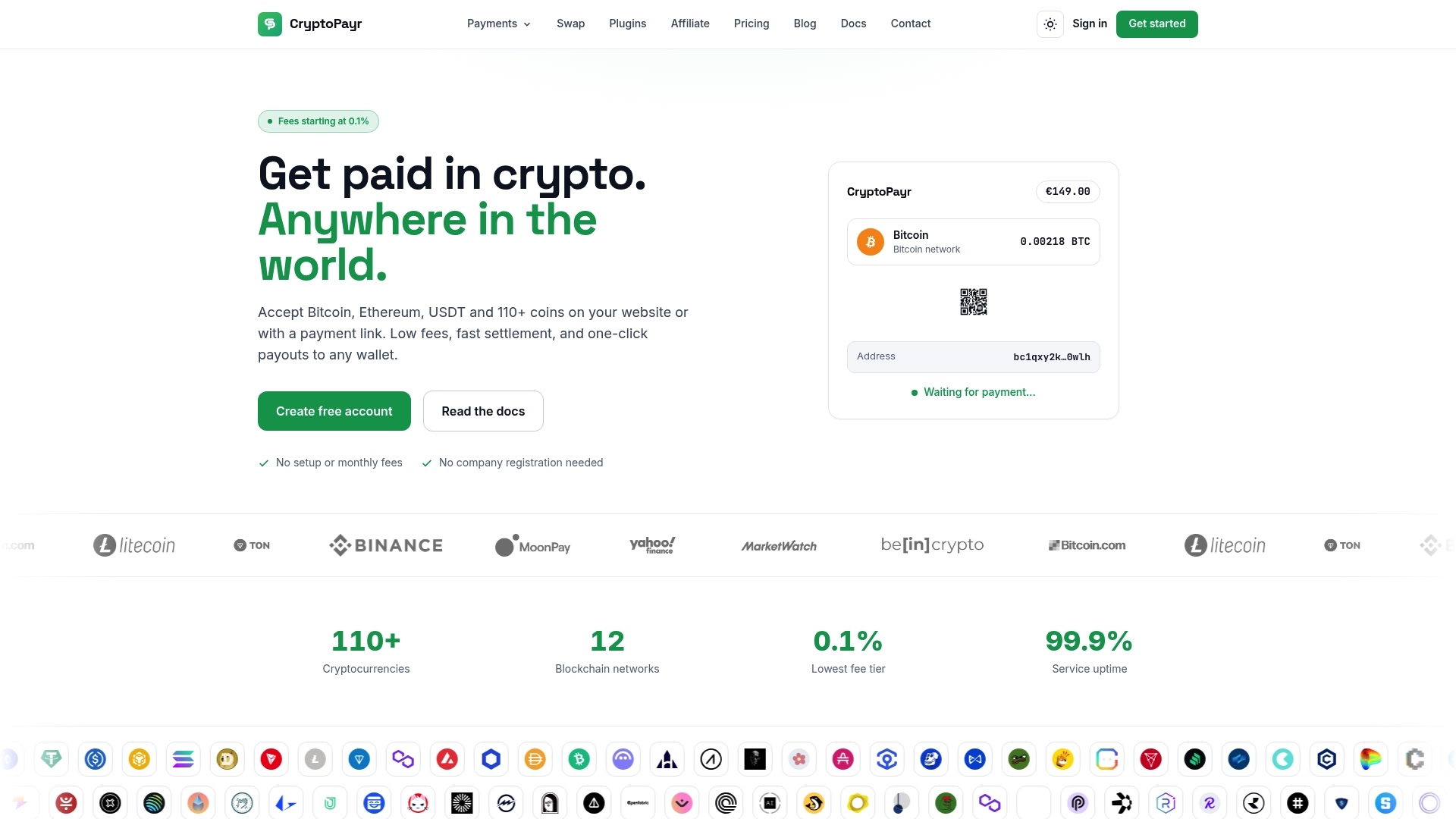
Cryptopayr helps businesses accept over 110 cryptocurrencies through a user-friendly, no-KYC payment gateway with minimal fees starting at 0.1%.
Native NEAR vs. NEP-141 Tokens: What’s the Difference?
A native NEAR transfer moves the NEAR token directly between accounts. The payer signs a transaction naming your receiving account and an amount, and the funds show up there once the transaction executes. That’s the simplest case and the one most invoicing flows assume by default.
NEP-141 tokens work differently. These are fungible tokens (stablecoins, wrapped assets, project tokens) that live inside a smart contract, not as native balances. A payment in a NEP-141 token routes through that contract’s ft_transfer function, and your backend has to check the contract address itself, not just the receiving account, to confirm what actually arrived. The account model docs lay out both transfer types and recommend verifying on-chain before crediting anything.
This distinction causes real checkout failures when it’s ignored:
A payer sends a NEP-141 stablecoin when your invoice expected native NEAR, and your backend never sees a matching native transfer.
A merchant checks only “did money arrive at this account” without checking which contract sent it, and either misses the payment or credits the wrong asset value.
The UX fix is blunt but effective: state the asset and network explicitly on every payment screen, and never assume “NEAR” means the native token unless you’ve labeled it that way.
Which Integration Path Fits Your Platform?
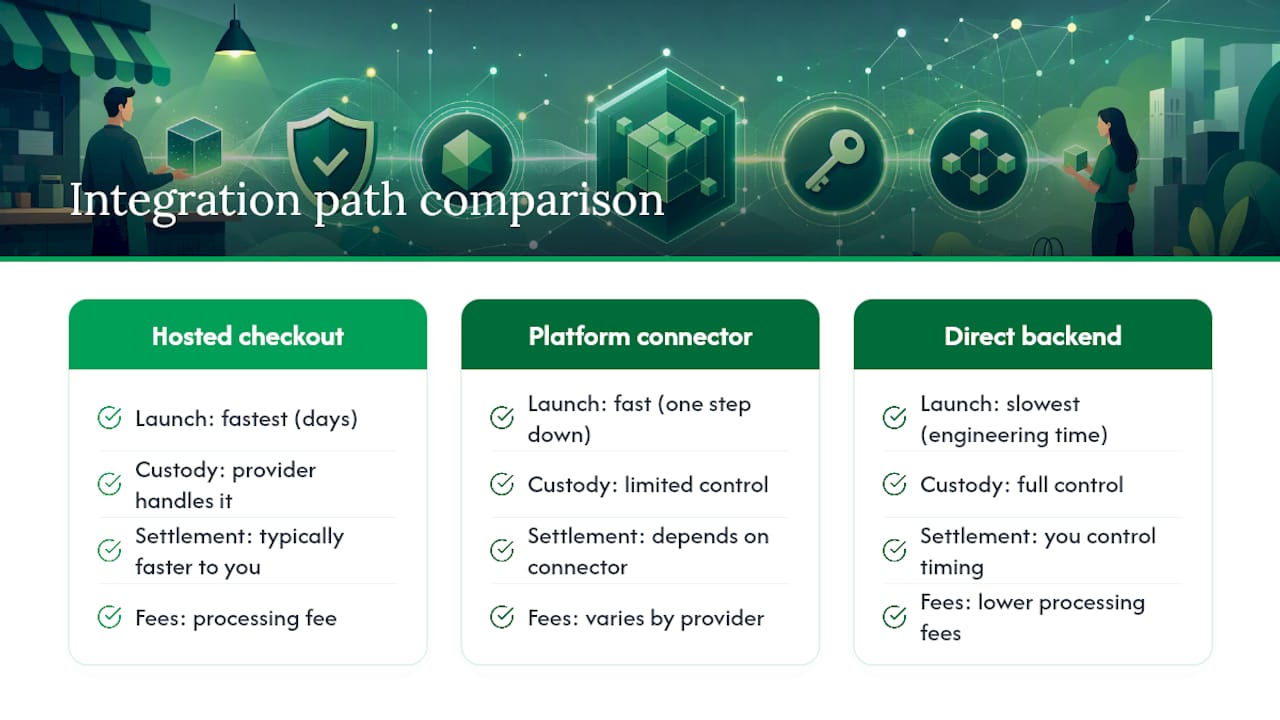
Your choice here comes down to how fast you need to launch versus how much control you need over custody and settlement.
Hosted checkout or payment links get you live fastest. You generate a link or embedded widget, the customer pays, and the provider handles address generation and confirmation logic. This suits small merchants, invoicing tools, and anyone who wants NEAR acceptance live this week rather than this quarter.
E-commerce plugins and platform connectors sit one step down in speed but plug into existing storefronts without custom backend work, where a connector for your platform exists.
Direct backend integration using NEAR RPC and signed transactions gives you full control over receiving accounts, key management, and settlement timing. This is the route for marketplaces that need commission splitting, platforms with custom payout logic, or anyone who can’t tolerate a third party touching customer funds.
Each path trades differently on custody, fees, and onboarding friction. A hosted option typically settles faster to your account but charges a processing fee; a direct integration costs engineering time but keeps you in control of every hop.
Pro Tip:Before committing to direct RPC integration, prototype with a hosted checkout first. It tells you in days, not months, whether your actual volume and use case justify the engineering cost.
How Do You Confirm a NEAR Transaction Went Through?
Once a payer signs and submits a transaction, your backend needs a reliable way to track it from broadcast to confirmed. NEAR’s RPC layer gives you two calls built for exactly this: send_tx to broadcast a signed transaction, and tx to query its status by hash and sender account. The NEAR RPC transaction docs recommend this pair for new integrations over older polling patterns.
The part that trips people up is choosing how “confirmed” you need a transaction to be before you trust it:
EXECUTED_OPTIMISTIC (the default) returns fast but reflects a less finalized state, fine for low-value digital goods where a rare rollback is an acceptable risk.
INCLUDED_FINAL waits until the block is on the finalized chain.
EXECUTED confirms the receipts have actually run.
FINAL is the highest bar, the right choice for accounting-grade reconciliation or marketplace payouts where a reversal would cause real financial mess.
Most transactions reach finality within one to three blocks, according to NEAR’s transaction execution docs. Whatever milestone you pick, persist the tx hash, sender account, block reference, timestamp, and outcome status. That record is your audit trail when a customer disputes a charge six weeks later.
Understanding NEAR Accounts and Key Safety
NEAR uses three account shapes you’ll see at checkout. Implicit accounts exist automatically from a public key hash and only need funding to become active; they look like long hex strings. Named accounts (like merchant.near) are human-readable but require an explicit creation step. Ethereum-like accounts show up when a customer signs in through an Ethereum wallet, and they’ll look different from either NEAR-native format.
Knowing which format you’re looking at matters when you’re displaying a receiving address or validating a sender, since a malformed or mistyped implicit address is far easier to send to the wrong destination than a named one.
Key management is where the real risk sits. A FullAccess key can move funds and alter account permissions, full stop. The access keys documentation warns explicitly against exposing these in frontend code, browser storage, or unprotected servers.
Never put a FullAccess private key in client-side code, a plugin, or a webhook handler.
Use restricted FunctionCall keys for automated processes wherever the action allows it.
Keep treasury-level signing keys offline or behind a relayer architecture, separate from whatever detects incoming payments.
Pro Tip:Treat your payment-detection service and your treasury-signing service as two different systems with two different trust levels, even if one engineer built both.
Building a Reconciliation System That Doesn’t Double-Credit Orders
Matching payments to orders by amount alone is how merchants end up crediting the wrong invoice or, worse, crediting the same transaction twice. A tighter system needs a few fixed rules.
Bind every invoice to a unique payment request: recipient account, exact amount, an optional memo or reference field, and an expiration window.
Before crediting anything, verify three things independently, the asset (native NEAR or a specific NEP-141 contract), the receiving account, and the transaction’s actual execution status.
Use the transaction hash as your deduplication key. If you’ve already processed that hash, don’t process it again, regardless of what your amount-matching logic says.
Set your finality threshold by order value. A $12 digital download can accept EXECUTED_OPTIMISTIC; a $4,000 marketplace payout should wait for FINAL.
This is standard practice according to NEAR’s own transaction guidance, which flags amount-only matching as a common source of merchant errors.
A Practical Checklist for Building NEAR Checkout
A minimal, working implementation follows roughly this order:
Generate a payment request tied to an order ID, with a fixed recipient account and amount.
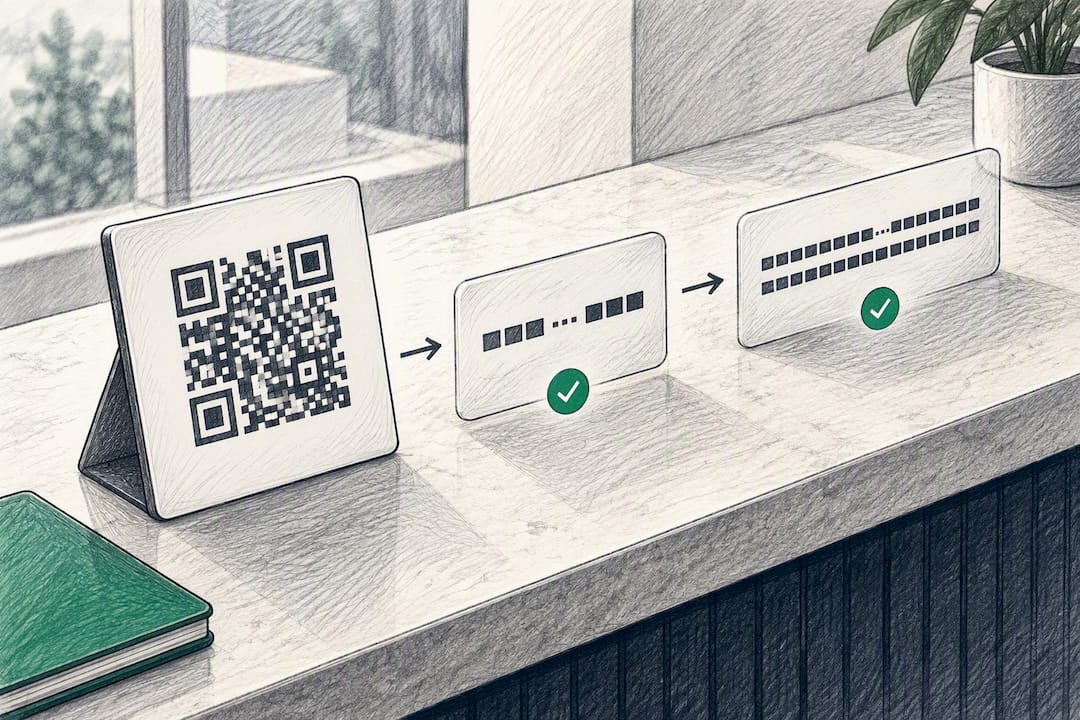
Display that recipient address and a QR code so mobile wallets can scan it directly.
Let the payer sign and broadcast the transaction, or accept a signed transaction from their wallet and broadcast it yourself via send_tx.
Poll tx using the returned hash and your chosen wait_until milestone until you reach a final outcome.
Verify the recipient, asset, and amount match the original request exactly.
Persist the receipt: order ID, requested amount, recipient account, tx hash, status, and timestamps.
Mark the order paid, then trigger any downstream step, auto-conversion, treasury transfer, or payout split.
The libraries in near-api cover signing, broadcasting, and account interaction across most backend languages, so you’re rarely writing raw RPC calls by hand.
Pro Tip:Log every rejected or expired transaction attempt, not just successful ones. Failed-payment patterns are usually your earliest signal that something in your checkout UX is confusing customers.
Watch for three common failure points: invalid signatures from a wallet mismatch, expired transactions if a payer waits too long after generating the request, and simple network timeouts that need a retry policy rather than an immediate failure state.
What Happens When a NEAR Transaction Fails or Gets Stuck?
Pending and failed transactions are routine on any blockchain, and your checkout flow needs a defined behavior for both, not a silent spinner.
A pending transaction usually means it’s been broadcast but hasn’t reached your chosen finality milestone yet. The right move is to keep polling tx at a reasonable interval (every few seconds, not every request) and show the customer a clear “confirming” state rather than a generic loading icon. Setting a maximum wait window, say 60 to 90 seconds for EXECUTED_OPTIMISTIC, keeps customers from staring at a blank screen indefinitely.
A failed transaction can come from several distinct causes, and your error handling should distinguish them:
Invalid signature or expired access key: the payer’s wallet session may have gone stale. Prompt them to reconnect and retry rather than treating it as a payment failure.
Insufficient balance for gas: the transaction never executes because the sender’s account can’t cover the fee. Show this plainly instead of a generic error.
Timeout with no resolution: rare, but possible during network congestion. Don’t auto-credit on timeout. Instead, flag the order for manual review and keep polling in the background.
Never mark an order paid based on the payer’s claim that “it went through.” Always resolve the transaction status through the RPC response itself. If a transaction ultimately fails, release any reserved inventory and let the customer retry with a fresh payment request rather than reusing the old one, since expired requests can create confusing mismatches in your reconciliation logs later.
How Much Do Gas Fees Cost, and Who Pays Them?
Gas on NEAR is deducted from the transaction signer’s account, meaning the payer covers it, not the merchant receiving funds. That’s a meaningful difference from card processing, where the merchant typically absorbs the fee. According to NEAR’s gas documentation, gas costs are deterministic based on the actions in a transaction, and unused gas gets refunded to the sender, minus a small refund fee.
For merchants, this means you generally don’t need to build gas estimation into your own payment request logic. The payer’s wallet handles that calculation when it constructs the transaction. What you do need to account for:
If you’re building any backend-initiated transfers (automated payouts, treasury moves, refunds), your own signing account needs enough NEAR to cover gas on those actions.
Mass payouts to many recipients multiply gas costs per transaction, so batch or queue large payout runs rather than firing them simultaneously.
Refund flows should factor in that the original gas paid by the customer isn’t recoverable by the merchant. If you’re refunding an order, you refund the payment amount, not the gas the customer already spent.
None of this should surface to your checkout UI as a merchant concern. The payer’s wallet quotes and covers gas automatically. Where it does matter is in backend-initiated actions like mass payouts or automated commission splits, where your own operational account is the one paying, and running low on balance there can silently stall a batch of payouts if nobody’s watching the account.
Security Beyond Access Keys: Phishing and Social Engineering Risks
Access-key hygiene protects your infrastructure, but most successful attacks on crypto-accepting merchants target people, not code. Phishing against your checkout flow typically takes one of a few shapes.
Fake support channels are common: someone contacts a customer claiming to be your support team and asks them to “verify” a payment by sending funds to a different address. Publish your official receiving addresses somewhere verifiable and tell customers explicitly that support will never ask them to send a new payment to resolve an issue.
Clipboard and QR-code tampering is a real risk on shared or compromised devices, where malware swaps a copied wallet address for an attacker’s address between the copy and paste action. Displaying a truncated, human-checkable version of your receiving account alongside the full address and QR code gives customers a way to sanity-check before they send.
Lookalike domains targeting your checkout page are another vector, especially if your payment flow lives on a subdomain that’s easy to spoof. Consistent branding, HTTPS enforcement, and clear domain communication in customer emails reduce how often this succeeds.
Finally, watch your own team’s tooling. Anyone with access to your merchant dashboard or payout controls is a target for credential phishing, so the same access-key separation principles that protect your signing keys should extend to who can even view or trigger payout actions in the first place.
Why Cryptopayr Recommends a No-KYC Gateway for Most Merchants
Building the payment-request, RPC-polling, and reconciliation stack described above is doable, but it’s real engineering time most product teams would rather spend elsewhere. Some crypto payment gateways support numerous cryptocurrencies with low fees and a no-KYC onboarding flow allowing merchants to go from signup to live checkout without a compliance queue.
That speed matters most for merchants who need broad coin support and fast go-live over deep custody customization. If your business needs custom treasury rules, multi-signature governance, or contract-mediated settlement logic specific to your platform, a direct RPC integration still makes sense. For everyone else, skipping the infrastructure build is the practical call.
— Dustin
Get NEAR Checkout Live Without Building It Yourself
Cryptopayr skips the KYC queue that slows down most crypto payment setups, so you can go from signup to a working NEAR checkout the same day instead of waiting on document reviews. You get hosted checkout, payment links, and API access built around the same account and verification model covered above, plus auto-conversion to stablecoins if you don’t want to hold volatile assets, and commission splitting for marketplaces that need to pay out multiple parties from a single order.
Fees start at 0.1% on the Enterprise tier, scaling up from 2% on Standard depending on your monthly volume, with a flat $0.10 per-payment option also available on the gateway page. Marketplaces and platforms handling payouts to multiple sellers can look at mass payouts or a white-label setup starting from 1% if you need the checkout running under your own brand. Head to Cryptopayr to check current pricing and start integration.
FAQ
How do I accept NEAR payments on my website?
Generate a payment request with your receiving NEAR account and the exact amount, then verify the resulting transaction hash on-chain using NEAR’s RPC transaction endpoints before marking the order paid. Merchants who don’t want to build this backend logic can use a gateway like Cryptopayr, which handles the request generation and verification automatically.
What’s the difference between accepting native NEAR and NEP-141 tokens?
Native NEAR moves directly between accounts, while NEP-141 tokens route through a smart contract’s ft_transfer function, so your backend has to verify the contract address, not just the receiving account. Mislabeling the asset on your checkout page is the most common cause of misapplied NEAR payments, according to NEAR’s account model documentation.
How long does a NEAR transaction take to confirm?
Most NEAR transactions reach finality within one to three blocks, though the exact wait time depends on which wait_until milestone you choose. NEAR’s transaction execution docs recommend EXECUTED_OPTIMISTIC for low-value UX and FINAL for accounting-grade reconciliation.
Who pays gas fees on a NEAR payment?
The transaction signer, meaning the paying customer, covers gas fees, not the merchant receiving funds. Merchants only need to budget for gas on their own backend-initiated actions, like mass payouts or automated refunds, as described in NEAR’s gas documentation.
Does Cryptopayr require KYC to accept NEAR payments?
No. Cryptopayr uses a no-KYC onboarding flow that lets merchants go live with NEAR acceptance without a document review process, alongside support for many other cryptocurrencies. Current fees and tier details are listed on Cryptopayr.