A crypto payment button is a hosted link or copy-paste snippet that lets customers pay in Bitcoin, Ethereum, or a stablecoin without you touching a line of backend code. For most small business owners, the fastest working setup is a hosted payment button or payment link you generate once, then paste into a page, invoice, or email.
Three paths exist, and they trade off speed against control:
- Hosted button or payment link: copy, paste, done. No developer needed.
- CMS plugin: a bit more setup on WordPress or WooCommerce, but it lives inside your existing storefront.
- API integration: full control over checkout flow, built for developers who need custom webhooks.
Start by generating a button, dropping the snippet into a test page, and confirming a payment in sandbox mode before you ever touch a live wallet address.
Key Takeaways
The fastest, lowest-risk way to accept crypto is a hosted payment button or link tested in sandbox mode before any live transaction, with provider fees, coin support, and payout speed decided upfront.
| Point |
Details |
| Start with a hosted button |
Copy-paste snippets or payment links need no backend code and work on any website or invoice. |
| Test in sandbox first |
Confirm a small transaction before connecting a live wallet address to catch errors early. |
| Match coins to your customers |
Providers supporting 100+ assets fit niche communities better than Bitcoin-and-Ethereum-only setups. |
| Watch fee structure and payouts |
Percentage-based fees scale better for small merchants than flat per-transaction charges. |
| Cryptopayr fits SMB rollouts |
It supports 110+ coins, offers no-KYC onboarding, and starts fees at 0.1% across hosted buttons and plugins. |
Table of Contents
A crypto payment button connects three things: a price, a wallet address, and a confirmation signal. Click it, and the customer either lands on a hosted checkout page, sees a QR code they scan with their own wallet, or gets redirected to a payment link that works over text or email. Underneath, most buttons rely on standardized payment URI schemes, like BIP21 for Bitcoin and EIP-681 for Ethereum, so any compatible wallet can read the request correctly without you writing custom parsing logic for every chain.
Merchants generally pick from five button types, and each solves a different problem:
- Fixed-price button: charges an exact amount, ideal for a $49 product listing.
- Variable or donation button: lets the payer type in their own amount, common for tip jars and nonprofits.
- Slider or list button: offers a few preset price tiers, useful for subscription upgrades.
- Payment link: a shareable URL with no embed required, perfect for invoicing freelance clients.
- Hosted checkout widget: a full-page experience with order metadata, built for e-commerce carts.
Customization usually covers four things: whether the price displays in fiat or the underlying coin, button label text, optional metadata fields like email or order ID, and branding colors that match your site. A donation button for a content creator looks nothing like a checkout button for a SaaS subscription, and good providers let you configure that difference in minutes rather than rebuilding the whole flow. Toreador’s QR generation approach is worth studying here: it renders codes client-side and stays non-custodial, meaning payments broadcast straight from the payer’s wallet instead of routing through a third party.
The no-code route works for the overwhelming majority of small business use cases, and it takes minutes, not days.
- Generate the button. Log into your gateway dashboard, pick a button type, set the price and accepted coins, and generate either an embeddable snippet or a standalone link.
- Test it in sandbox mode first. Send a small test transaction before going live. This catches wallet address typos and currency mismatches before a real customer hits them.
- Paste the snippet or link. Drop it into your website’s HTML, a WordPress page, an email invoice, or a chat message. No server access required.
- Confirm the webhook or notification. Set up an email or dashboard alert so you know the moment a payment clears.
If you run WordPress or WooCommerce, the plugin path adds one extra layer: install the plugin, enter your merchant API key, choose a button template from the settings panel, and test on a staging copy of your site before pushing live. Cryptopayr’s guide on accepting crypto payments on WooCommerce walks through that exact sequence.
Developers who want more control skip the hosted flow and work directly with an API: generate a key, spin up a payment session, and listen for a server-side webhook once the customer’s wallet broadcasts the transaction. Build in idempotency checks so a webhook retry never double-credits an order, and require more on-chain confirmations for high-value transactions than you would for a $5 tip.

Pro Tip: Test with an amount small enough that a mistake costs you nothing, like $1 in a stablecoin, and always double-check the receiving wallet address against your dashboard before flipping sandbox mode off.
For a broader walkthrough that covers embedding on any site regardless of platform, Cryptopayr’s guide on adding a pay-with-crypto button is a useful next stop.
Which Cryptocurrencies Can You Accept, and How Do Payouts Work?
Most gateways support a shortlist by default: Bitcoin, Ethereum, and major stablecoins like USDC and USDT, since those cover the bulk of real-world transaction volume. Some providers go much further. Cryptopayr supports more than 110 cryptocurrencies, which matters if your customer base skews toward a specific altcoin community, like gaming or DeFi users who don’t hold Bitcoin at all.
Once a payment lands, you generally choose between two settlement paths:
- Auto-convert to fiat or stablecoin. The gateway swaps the received crypto instantly, so you’re not exposed to price swings between the sale and your payout.
- Direct crypto payout. You keep the original asset, which suits merchants who want to hold rather than convert.
Payout scheduling varies by provider, from same-day withdrawals to weekly aggregated batches. Confirmation times differ by chain, too: Bitcoin transactions typically need multiple block confirmations before they’re considered final, while stablecoin transfers on faster networks often clear in seconds. Binance Smart Chain’s documentation is a decent reference point if you want to understand confirmation behavior on smart-chain networks specifically.
What Security and Compliance Basics Should You Check?
Before you connect a wallet to a live button, confirm whether the flow is custodial or non-custodial. Non-custodial means funds go straight to your wallet and the provider never holds your private keys, which reduces your exposure if the provider ever gets breached. Toreador’s QR-based payments work this way by design: the payer’s wallet broadcasts the transaction directly.
Look for these signals before trusting any provider with real transaction volume:
- A working sandbox or test mode you can use before going live.
- Documented developer resources, not just a marketing page.
- A published fee schedule with no hidden conversion markup.
- Webhook signature verification, so a fake payment notification can’t trick your order system.
- No-KYC onboarding, if you want to start accepting payments the same day you sign up.
Pro Tip: Never paste a receiving wallet address from a chat message or email without cross-checking it against your dashboard. Address-replacement attacks, where malware swaps a copied address for an attacker’s, are one of the most common ways merchants lose funds.
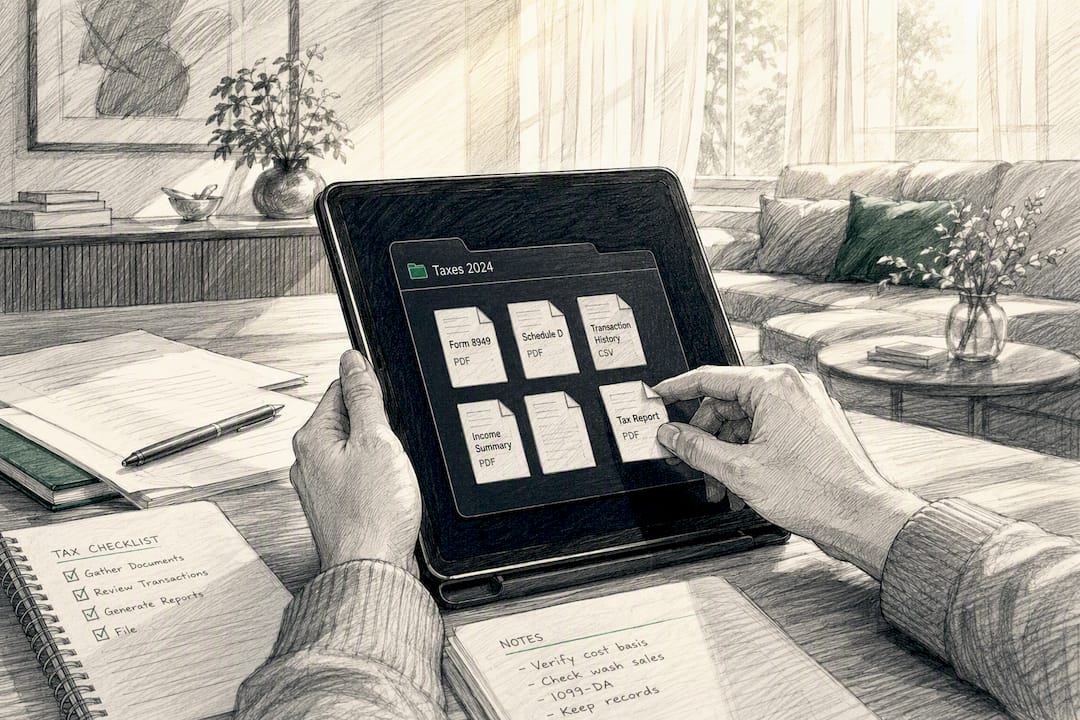
Tax and reporting obligations on crypto income vary significantly by country and even by transaction type, so keep detailed records of every transaction date, amount, and converted fiat value from day one. Loop in an accountant familiar with digital assets before your first tax filing, not after.
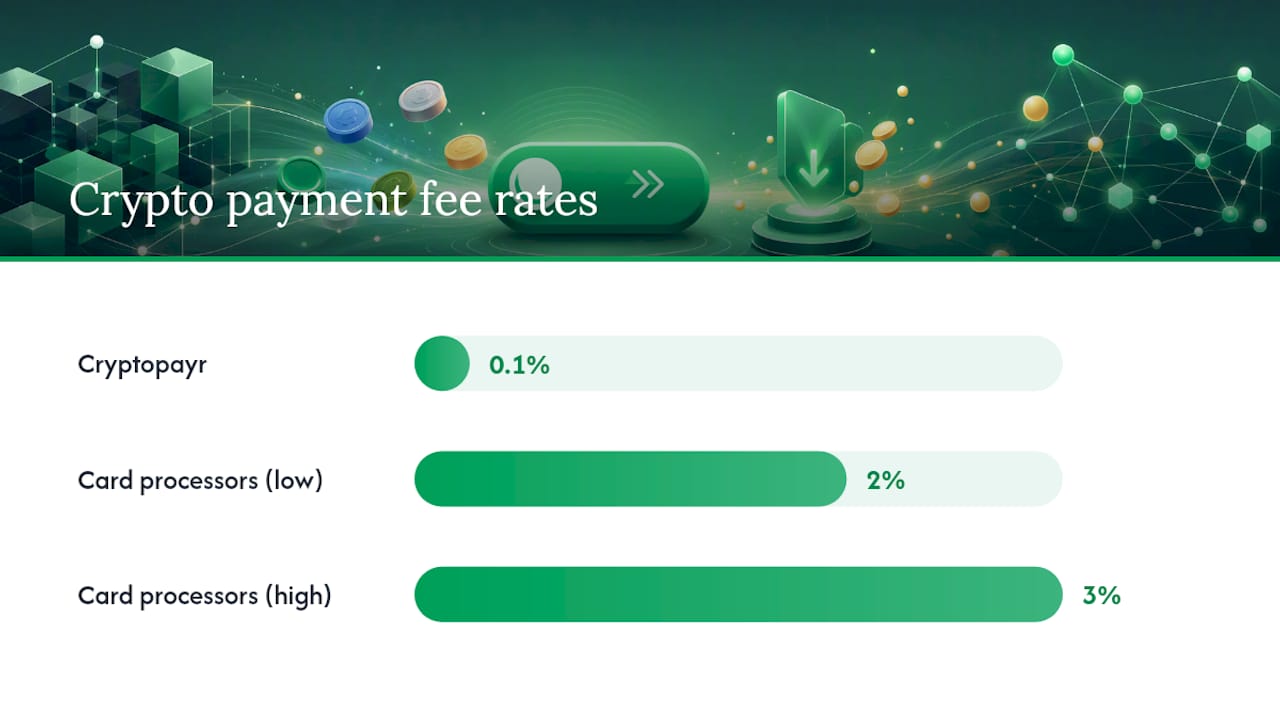
Fee structures usually fall into two camps: a flat fee per transaction, or a percentage of transaction volume. Percentage-based fees scale better for small merchants since you’re not paying a fixed cost on tiny transactions. Cryptopayr’s starting fee point sits at 0.1%, which is meaningfully lower than the 2 to 3% many card processors charge.
If you auto-convert to fiat or a stablecoin, expect a small conversion spread on top of the base transaction fee. That’s the tradeoff for eliminating volatility risk.
Timelines depend on the settlement path you choose. On-chain confirmations for Bitcoin can take longer than instant off-chain settlement through a gateway’s internal ledger. Before committing to a provider, ask directly:
- What’s the base fee, and is there an added conversion spread?
- How often do payouts land, immediately, hourly, or daily?
- Are there minimum withdrawal thresholds?
- Does the fee change based on monthly volume?
Crypto buttons fit some businesses far better than others. Digital goods sellers, freelancers invoicing overseas clients, subscription-based SaaS platforms, and gaming server operators collecting donations all see immediate upside, mostly because they’re either serving global customers or running high-margin digital products where a lower processing fee matters.
Freelancers and small e-commerce shops tend to get the most value from a simple hosted button since setup takes minutes and volume stays manageable. Global marketplaces selling to buyers in regions with limited card access benefit even more; Cryptopayr’s piece on getting paid where cards don’t reach covers that use case directly.
- Digital downloads and courses
- Recurring subscription invoices
- Donation-driven creators and nonprofits
- Freelance invoicing across borders
- Gaming server currency and community payments
Very high-volume enterprise merchants processing thousands of daily transactions across multiple currencies often need custom settlement arrangements and dedicated compliance support that a standard button doesn’t cover.
A Publisher’s Note on Rolling This Out
The businesses that struggle with crypto payments almost always skip sandbox testing and go live on day one. Test with real (small) money before trusting any button in production, and watch your first ten transactions manually rather than assuming the webhook fired correctly. Most merchants stay on a hosted button far longer than they expect. Upgrading to a full API integration only makes sense once you need custom checkout logic a template can’t handle.
You’ve seen the three paths: hosted button, plugin, or API. Cryptopayr is built so most merchants never need to leave the first one.
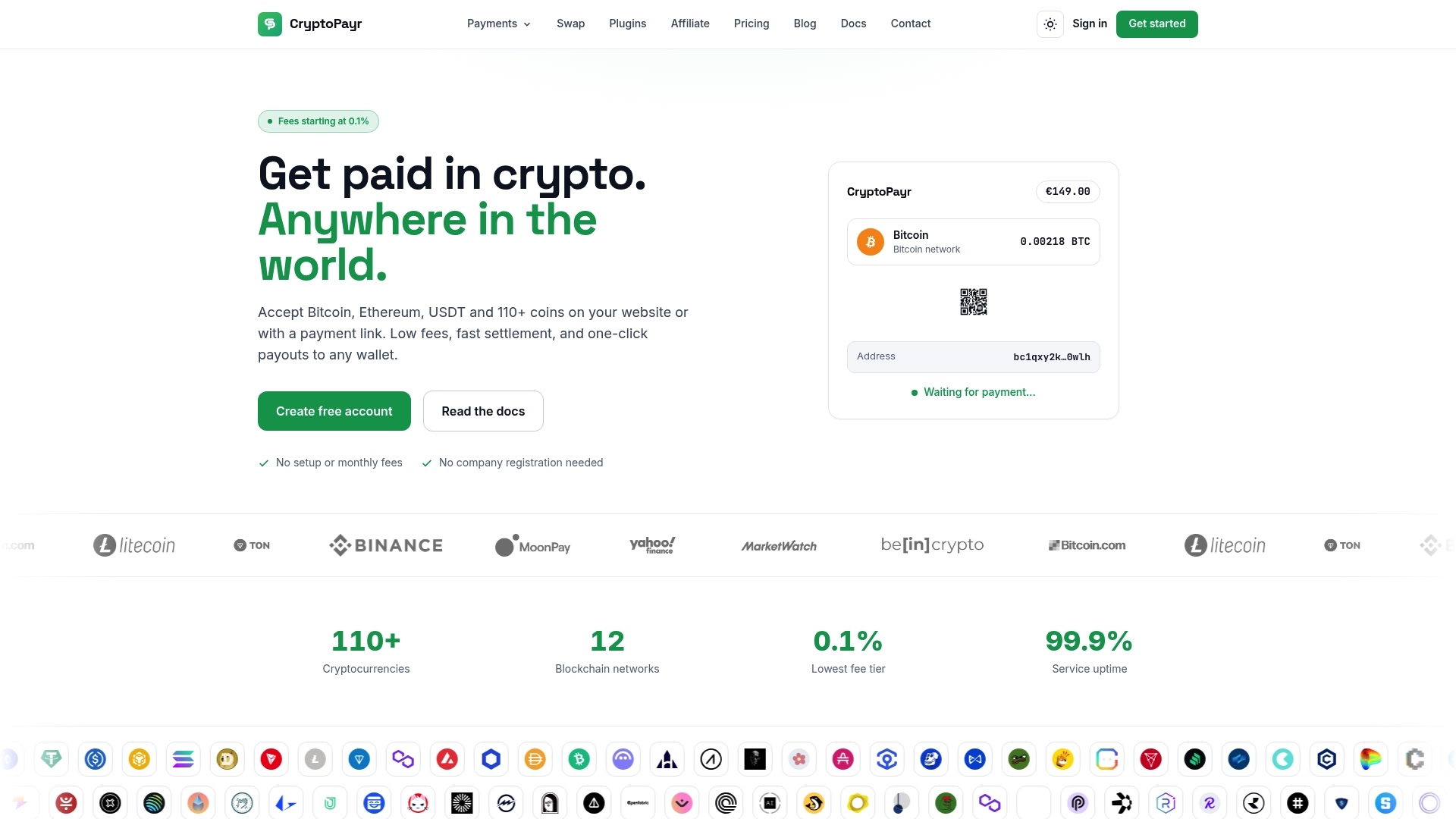
Whether you’re running WordPress, WooCommerce, or a custom site, Cryptopayr’s payment gateway gives you hosted checkout, payment links, and plugin options without a developer on staff. If you want full control over branding, the white-label gateway route lets agencies and larger merchants ship a fully branded checkout experience. Generate a test button in sandbox mode right now, confirm a small transaction, and go live the same afternoon.
Frequently Asked Questions
What is a payment button?
A payment button is a clickable link or embedded widget that starts a transaction, sending the customer to a checkout page or generating a QR code without requiring them to type in payment details manually.
How do crypto payments actually work?
A customer scans a QR code or clicks a link containing a payment URI, like BIP21 or EIP-681, which pre-fills their wallet with the recipient address and amount. Their wallet broadcasts the transaction to the blockchain, and the merchant’s system confirms once enough network confirmations clear.
What’s the easiest way to pay in crypto?
Scanning a QR code from a mobile wallet is typically the fastest method, since it avoids manually typing a long wallet address and reduces the chance of a costly copy-paste error.
What is a crypto payment gateway?
A crypto payment gateway is the underlying service that generates buttons, links, and QR codes, processes the transaction, verifies confirmations on the blockchain, and optionally converts the received crypto to fiat or a stablecoin before payout.
Sources
For QR code and payment URI standards, review Ethereum’s EIP-681 documentation, QRWink’s crypto QR generator, and Brevio’s multi-chain QR tool. Always confirm sandbox or test mode before going live with any tool.
- Free QR Code for Bitcoin & Crypto Payments | QRWink
Recommended


