Rate Locking for Crypto Payments: How Price Locks Work
How rate locking works in crypto payments: how the quote is set, how long a price lock should last, what happens at expiry, and which confirmation policy to use.
CryptoPayrNov 18, 202614.00 min read
Rate Locking for Crypto Payments: How Price Locks Work
Rate locking in crypto payments means fixing the crypto amount a customer owes for a dollar-priced invoice for a short window, so a price swing mid-checkout does not change what you receive. Set the window long enough for a normal payment to arrive and short enough that nobody can wait for a better price. Then pair it with a confirmation policy sized to the order. Those two settings decide most of your exchange-rate risk at checkout.
If you sell goods, software or services priced in USD and want to be paid in Bitcoin, Ethereum or stablecoins, this is the setting that decides whether an order of $200 arrives as $200. We built Cryptopayr as a crypto payment gateway for merchants who want that handled at checkout, not in a spreadsheet afterward.
Cryptopayr
cryptopayr.com
Accept Crypto Payments at Checkout
Cryptopayr helps businesses accept over 110 cryptocurrencies through a payment gateway designed for integration with existing platforms.
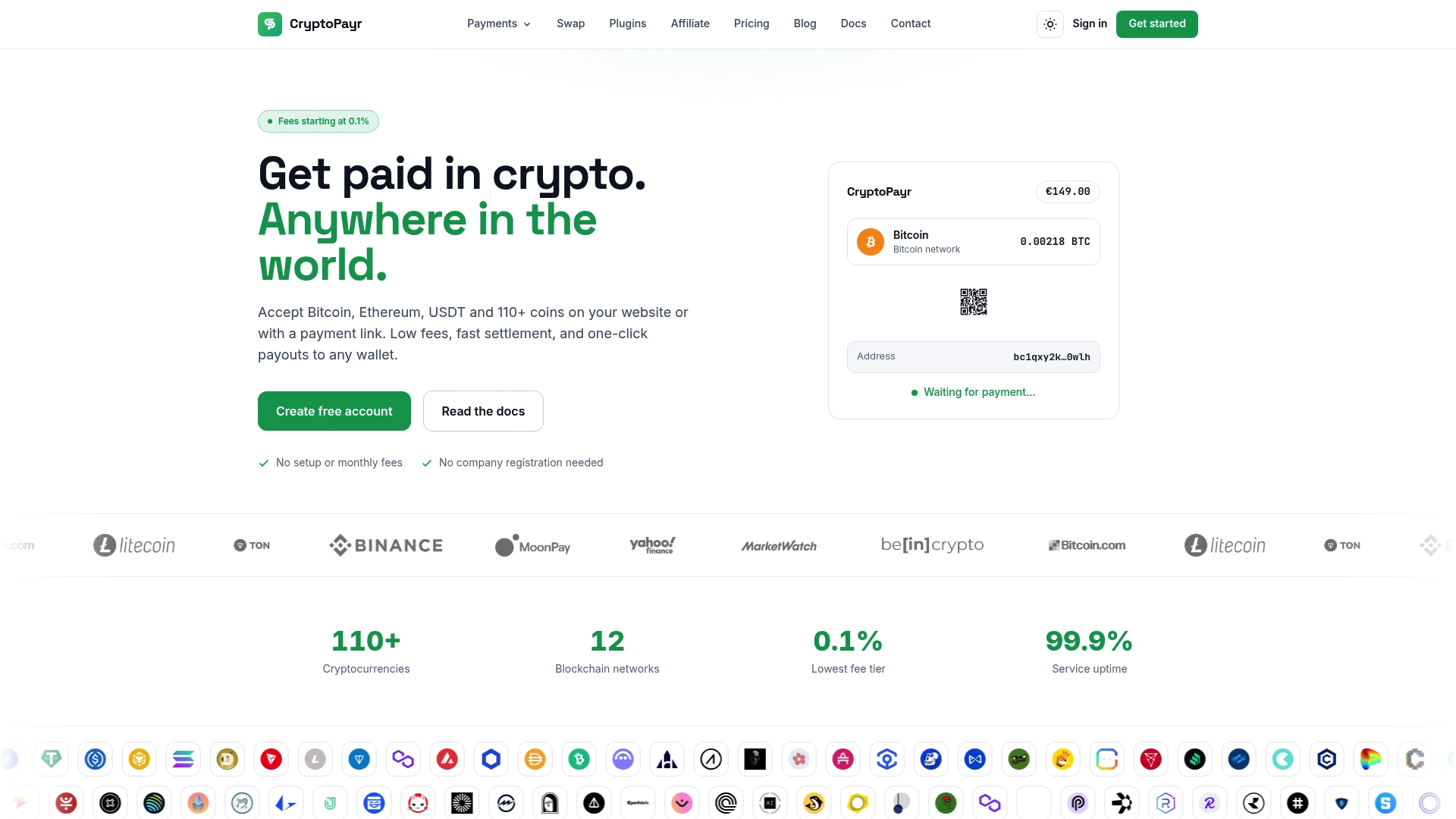
A customer sees a total of $100. Your gateway needs to turn that into a crypto amount, for example 0.00105 BTC, and show it with a wallet address and a countdown. That quote is the rate lock. For the length of the countdown, the customer owes that exact amount, whatever the market does.
Without a lock, you would have two bad options. Quote once and accept whatever arrives hours later, which means you carry the market risk. Or recalculate on arrival, which means the customer cannot know what to send. A lock removes both problems: the customer has a fixed target, and you have a fixed value in dollars.
The same idea is called a price lock, a rate lock or a quote window. The mortgage meaning of “rate lock” is a different product entirely. In payments, it is only about the exchange rate between your invoice currency and the coin.
How the quote is calculated
Every quote is built from the same ingredients:
Invoice amount in fiat, such as $100.00.
A reference exchange rate for the chosen coin at the moment the customer selects it.
Network and processing considerations, which depend on the gateway and the coin.
The resulting crypto amount, rounded to the precision the coin supports.
Because the rate is read when the customer picks a coin, the quote changes if they switch from Bitcoin to Litecoin or a stablecoin. Each choice gets its own lock. If you want to see how rates compare across coins before you price anything, the live crypto prices page and the crypto converter show current figures.
For finance teams that need to turn received crypto into dollars after the sale, the lock is only the first half of the exchange-rate picture. Conversion afterward is its own step, and crypto-to-fiat liquidity options exist for larger balances. Cryptopayr also offers auto-conversion to stablecoins, which takes the post-payment price swing out of the picture for the balance you choose to convert.
Why invoices must expire
A lock without an end date is a free option for the customer. If Bitcoin falls, they pay. If it rises, they wait or walk away. The Bitcoin developer documentation explains that fiat-priced invoices should expire because exchange rates fluctuate, and that expiry discourages customers from waiting for a favorable movement. It reports that most widely used payment processing systems expire invoices after 10 to 20 minutes.
That range is a good anchor, and the reason is practical. A blockchain payment needs the customer to open a wallet, scan or paste an address, approve it, and broadcast. That takes a couple of minutes for most people. Ten to twenty minutes leaves room for a slow wallet or a distracted buyer without giving the market time for a large move.
Other consumer-facing services use a similar approach. One digital goods retailer honors its quoted crypto price for 30 minutes and asks customers whose order has expired to reload for a new order, which comes with a new crypto address. So windows between 10 and 30 minutes are normal in the market.
What happens when the window runs out
The documentation points out the cost of going too short: shorter expirations can mean invoices expire before payment arrives, which then requires an additional payment or a refund. That is the real trade-off in the setting. Too long and you carry price risk. Too short and you create support tickets.
Here is how the common cases play out.
Situation
What it means
Sensible handling
Customer pays inside the window
Quote honored, order completes after your confirmation rule is met
Mark paid, fulfill
Customer does not pay before expiry
Invoice closes, no funds owed
Offer a fresh invoice with a new quote
Customer pays after expiry
The rate no longer applies, so the amount may be worth more or less than the invoice
Treat as a late payment: reprice or refund by policy
Customer sends too little
Order is underpaid
Request the difference or refund
Customer sends too much
Order is overpaid
Refund the excess or credit the account
Two details matter. First, on-chain transfers cannot be pulled back: a refund is a new transfer from you, with its own network fee and its own price on the day it goes out. We cover that in expired crypto payments for merchants. Second, a new invoice means a new address in many systems, as the retailer’s support page above notes, so tell customers not to send funds to an old address once the timer ends.
Write your late-payment rule down before launch. Customers who miss a 15-minute window are not trying to cheat you. They were usually waiting on an exchange withdrawal or a wallet that was slow to confirm.
Locks and confirmations are different protections
People often assume a price lock makes a payment safe. It makes the price safe. A payment can still be reversed in one way: a double spend, where the sender tries to replace the transaction before it is buried in the chain. Expiry does not stop that. Confirmations do.
A confirmation is a block added to the chain after the block that contains the payment. Each additional one makes reversal harder. The Bitcoin developer documentation recommends at least six confirmations for high-value or fraud-risk payments, calls that number somewhat arbitrary, and describes it as about an hour of protection. Bitcoin targets one block roughly every 10 minutes, so waiting for six takes about an hour on average.
That creates a tension you need to design for. If your lock window is 15 minutes but you require six confirmations, the customer pays inside the window and then waits an hour. That is fine, as long as the checkout says so. The lock governs when the payment must be sent. The confirmation rule governs when you treat it as final.
For a deeper look at how long different networks take, see our guide to crypto settlement times. Faster chains change the math: our piece on accepting Litecoin covers its roughly 2.5 minute confirmations.
Choosing a lock window and confirmation policy by business type
There is no single right setting. The right one depends on how much a mistake costs you and how fast the customer expects delivery. Use the table as a starting point, then adjust with your own data.
Business
Lock window
Confirmation approach
Why
E-commerce, physical goods
15 to 20 minutes
More confirmations before shipping
Goods leave your hands and cannot be recalled
E-commerce, low-value digital items
10 to 15 minutes
Low or no confirmations for small amounts
Fast delivery matters more than tiny risk
Freelance and agency invoices
Days for the invoice, short lock once the client opens the pay page
Standard confirmations before releasing work
Clients pay on their own schedule
SaaS subscriptions
Short lock on each renewal invoice
Confirmations before extending access
Each cycle is a fresh invoice and fresh quote
Gaming and in-game purchases
10 to 15 minutes
Match the speed of the coin to the item value
Players want items quickly, and small items carry little risk
Marketplaces
15 to 20 minutes
Higher confirmations before releasing seller funds
Money is split to several parties after settlement
The numbers in the “lock window” column sit within the 10 to 20 minute range the Bitcoin documentation reports. The confirmation column is a policy you choose, and there is no universal standard beyond the documentation’s six-confirmation guidance for high-value payments.
Tie confirmations to order value
The simplest policy is tiers. Small orders get few confirmations. Large orders get many. For example: under a threshold you accept after the transaction is seen, in the middle band after one to three confirmations, and above a higher threshold after six. How to choose those thresholds is covered in how to set crypto payment limits and crypto payment limits for merchants. For the low end, read about zero-confirmation payments and when merchants can accept them.
If you are deciding between payments that settle on the blockchain and those that are handled off it, the $500 rule on-chain versus off-chain is a useful way to frame it.
Recurring billing and long invoices
Subscriptions and freelance invoices look different from a cart. A subscription renewal creates an invoice each cycle, and each one needs its own quote. An agency invoice might stay open for 14 days, but the dollar amount converts to crypto only when the client opens the payment page. Do not lock a rate at invoice creation for a due date two weeks away. The lock should start when the payer starts paying.
Cryptopayr supports payment links, recurring billing and an API, so these invoice patterns fit the same account as a store checkout.
Marketplaces and mass payouts
On a marketplace, the lock has a second job. The buyer’s payment is fixed in dollars, and the platform then splits it between seller and commission. If the lock fails, the split gets calculated on a number that moved. Cryptopayr offers marketplace commission splitting and mass payouts, so the buyer’s locked amount can be divided among sellers by rules you set. See crypto payments for marketplaces and platforms for how that works.
Common mistakes with price locks
Showing no countdown. Customers who cannot see the deadline will miss it. Always display a visible timer and the exact crypto amount.
Locking at cart creation. The clock should start when the customer chooses a coin, not when they add an item.
Setting five minutes for everything. Slow wallets and exchange withdrawals will push many honest payments past the window.
Setting hours for everything. You then hold an option for the customer and carry the exchange-rate risk yourself.
Ignoring underpayments. Exchange withdrawals often deduct a fee from the amount sent, so the customer sends slightly less than the invoice. Decide your tolerance in advance and tell the customer plainly.
No refund path. Since a refund is a new transfer, decide who pays the network fee and which price applies.
Confusing lock and finality. A locked price is not a confirmed payment. Fulfill according to your confirmation rule.
A worked example
Take an online store selling a $240 item with a 15-minute lock and a policy of two confirmations for orders between $100 and $1,000.
The customer picks Bitcoin. The gateway quotes the BTC amount equal to $240 at that moment and starts a 15-minute timer.
The customer sends payment at minute 6. The transaction appears on the network and the checkout shows it as detected.
Two blocks later, the order is marked paid and fulfillment starts. The customer has the same dollar value locked in, whether Bitcoin moved up or down meanwhile.
Had the customer paid at minute 22, the invoice would have expired. The store would apply its late-payment rule: issue a new quote and ask for the difference, or refund the transfer.
The whole policy fits in three lines: lock length, confirmations by order size, and what to do when the customer misses the window. Write those three lines on your support page, and most disputes never start.
Where Cryptopayr fits
The lock only works if the checkout presents the quote clearly and the gateway tracks payments against it. Cryptopayr is a no-KYC crypto payment gateway for merchants that accepts 110+ cryptocurrencies, including Bitcoin and Ethereum. You can use a hosted checkout, e-commerce plugins, payment links or the API, with recurring billing, mass payouts and marketplace commission splitting on the same platform.
Fees are volume based. The published tiers are Standard at 2%, Growth at 1.5%, Scale at 1% and Enterprise at 0.1%, or a flat $0.10 per payment on the gateway plan. White-label fees start from 1%. See pricing and fees for the full picture, and crypto payments for e-commerce if you run a store.
Most merchants we talk to ask about the lock window first and the confirmation rule second. We think it should be the other way round. The lock is a few minutes of exchange-rate protection. The confirmation rule decides when you hand over goods, access or seller funds, and that is where real money is at stake.
Our approach is to keep both settings simple and visible to the customer: a clear countdown, an exact amount, and a stated rule for what happens after. A gateway should let a merchant run all of that without a lengthy onboarding process, which is why we built Cryptopayr with instant approval, no KYC, and no setup or monthly fees. One account covers hosted checkout, payment links, recurring billing and payouts, so a store, a SaaS plan and a marketplace use the same tools.
If you are choosing a gateway for crypto, choose the one that makes the timer, the amount and the late-payment path easy for your customer to understand. Everything else follows from that.
Dustin
FAQ
How long should a crypto price lock last?
The Bitcoin developer documentation reports that most widely used payment processors expire invoices after 10 to 20 minutes. Start in that range and lengthen it only if your support data shows honest customers missing the window. Longer windows leave you carrying the price risk.
What happens if a customer pays after the invoice expires?
The locked rate no longer applies, so the amount received may be worth more or less than the invoice. Handle it by your written policy: request the difference against a new quote, or send the funds back. A refund is a new transfer with its own network fee, so state who pays it.
How many confirmations do I need for a Bitcoin payment?
There is no fixed rule. The Bitcoin developer documentation recommends at least six confirmations for high-value or fraud-risk payments, which is about an hour of protection, and calls the number somewhat arbitrary. For small orders, many merchants accept fewer. Tier the number by order value.
Does a price lock protect me from double spends?
No. A lock fixes the price for a window, and expiry only stops customers from waiting for a better rate. Protection against double spends comes from confirmations, and more confirmations give more protection.